Light or dark
Switch themes from the sidebar. The board, the timer and every report come in both.
Here is everything inside PomoTodo, one feature at a time. A timer that files every session under its task. Projects as a list, a board or a table. Focus stats and a plant garden. Then the money side: what your time is worth, timesheets and invoices.
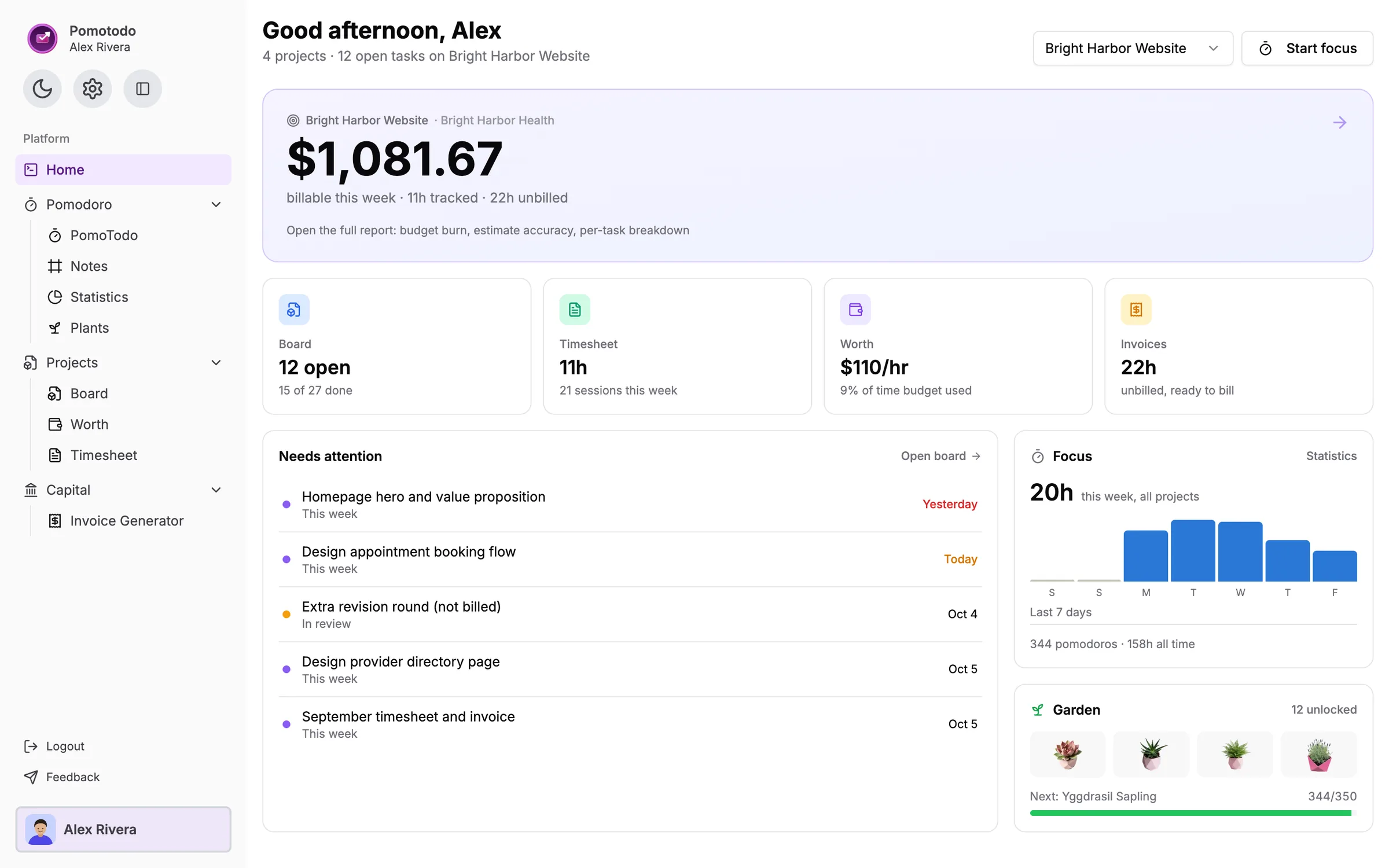
Most tools stop at one of these and leave you copying numbers into the next. In PomoTodo each step feeds the one after it, so the session you start at nine is already on Friday's timesheet.
Start a Pomodoro on a task. That is the only thing you have to do.
The finished session is filed under that task and its project.
Hours, estimates and budget burn add up without a spreadsheet.
Billable time turns into timesheet lines and an invoice.
The timer, the statistics it feeds and the garden that grows while you work. All of it is on the free plan.
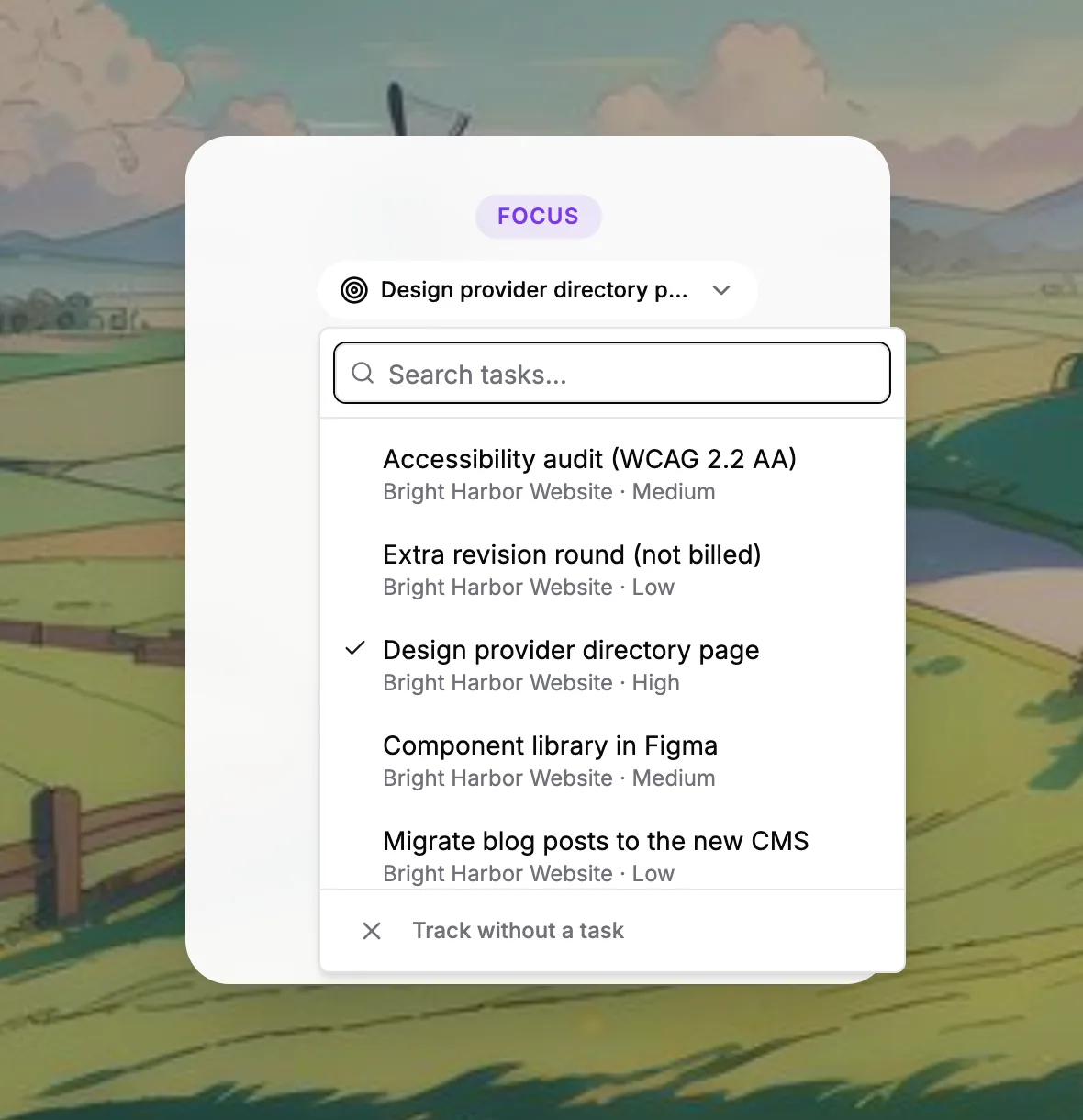
Pick a task from any project before you press start, or track without one. Every finished session is filed under that task, so the hours add up where they belong. Set your own focus, short break and long break lengths, and let the next round start by itself.
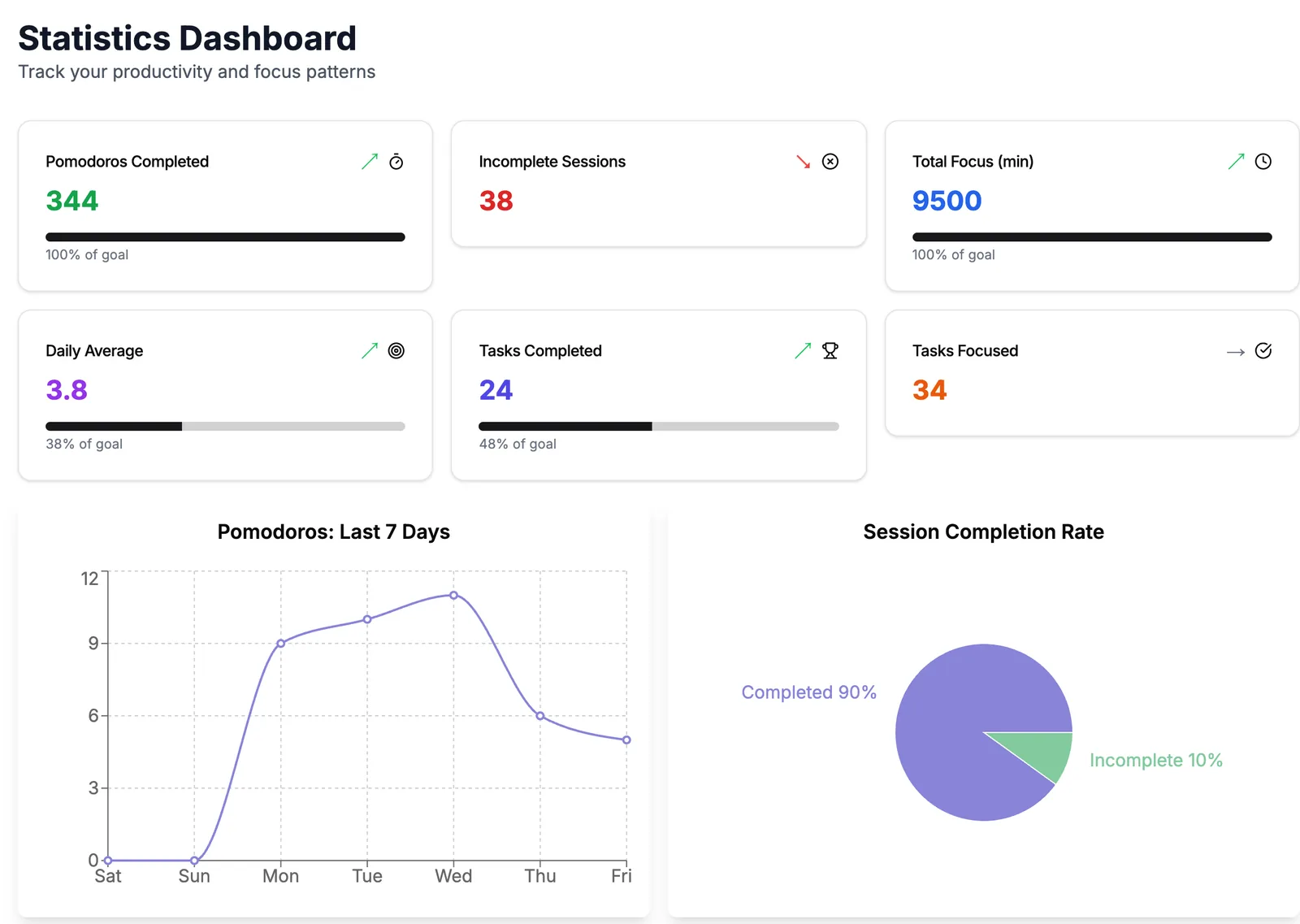
Pomodoros completed, total focus minutes, your daily average and how many sessions you finished or abandoned, with the last seven days charted. Sessions from the Chrome extension count here too.
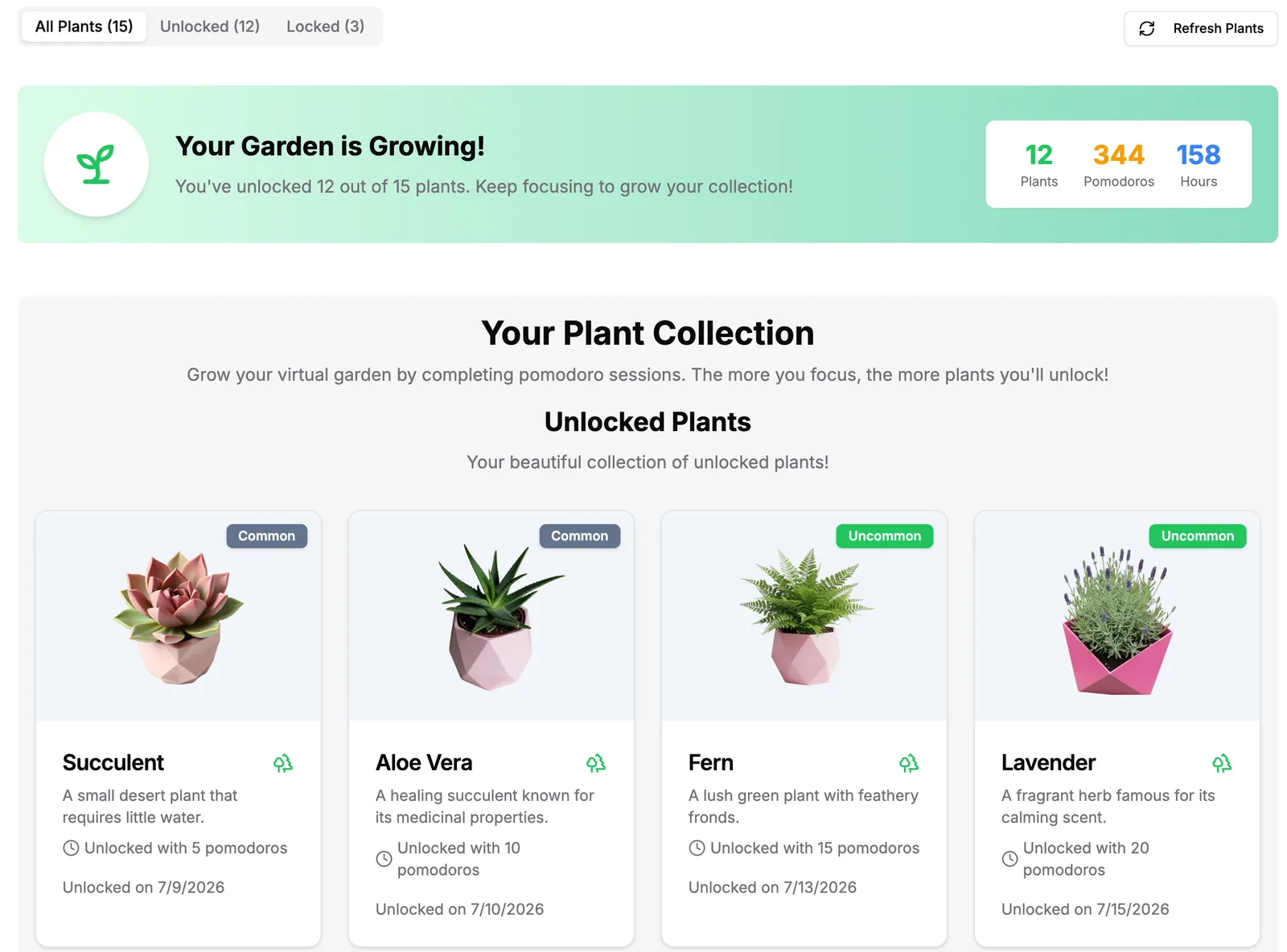
Every finished Pomodoro counts toward the next plant. There are 15 to collect in eight rarities, from a succulent after your first 5 sessions to plants that take hundreds. It is a small thing, and it is surprisingly hard to stop at 14.
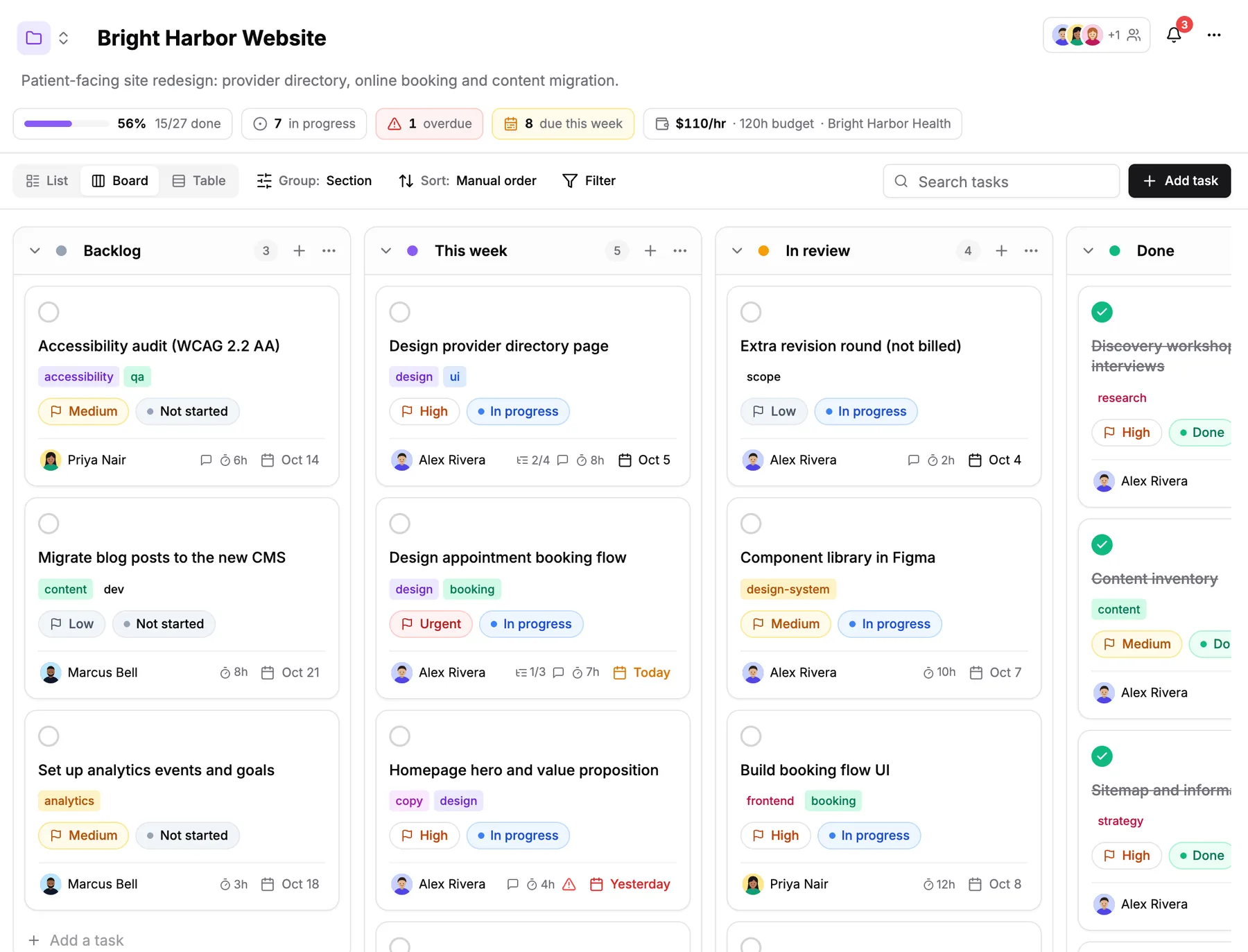
Projects, tasks and the people working on them, one click from the timer.
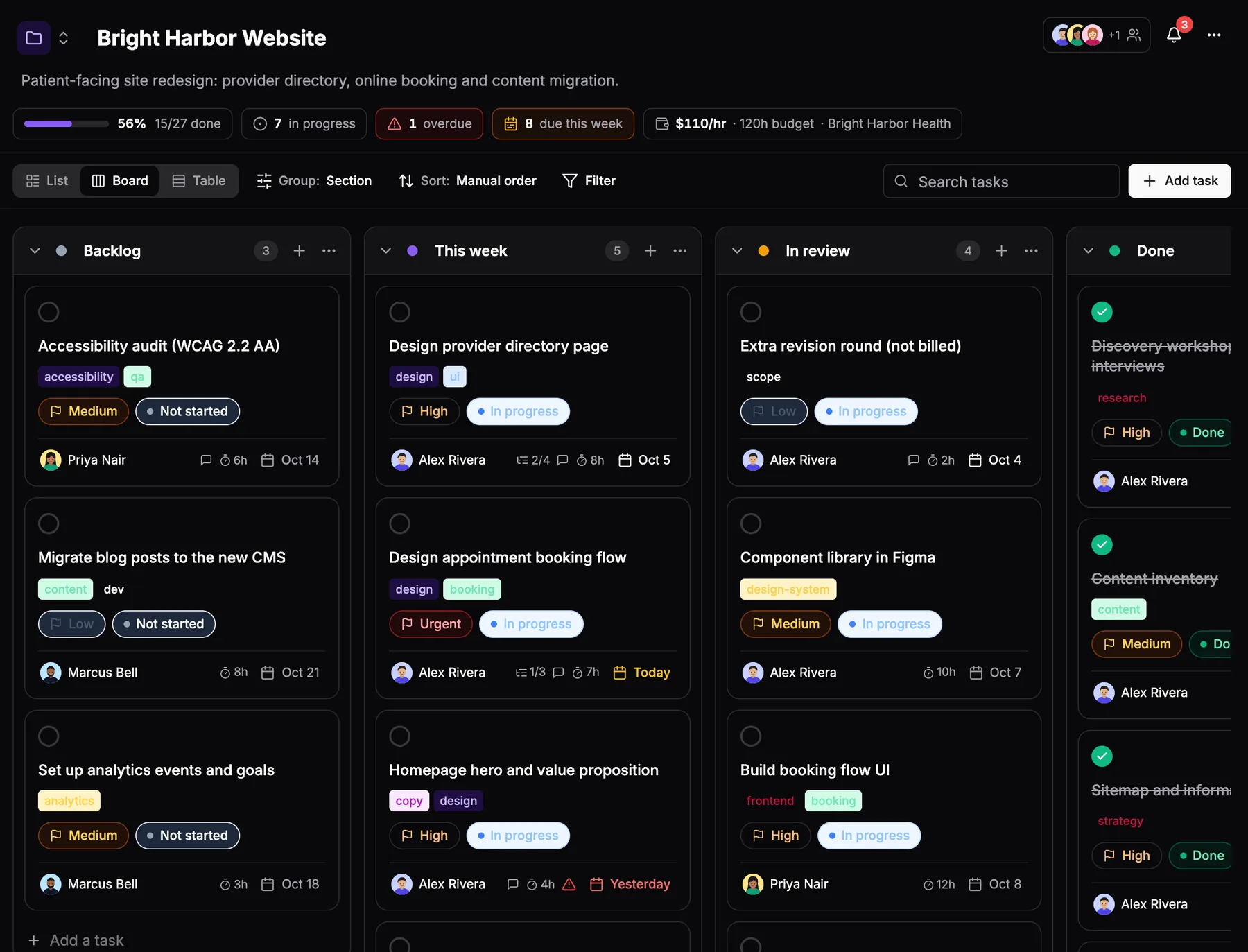
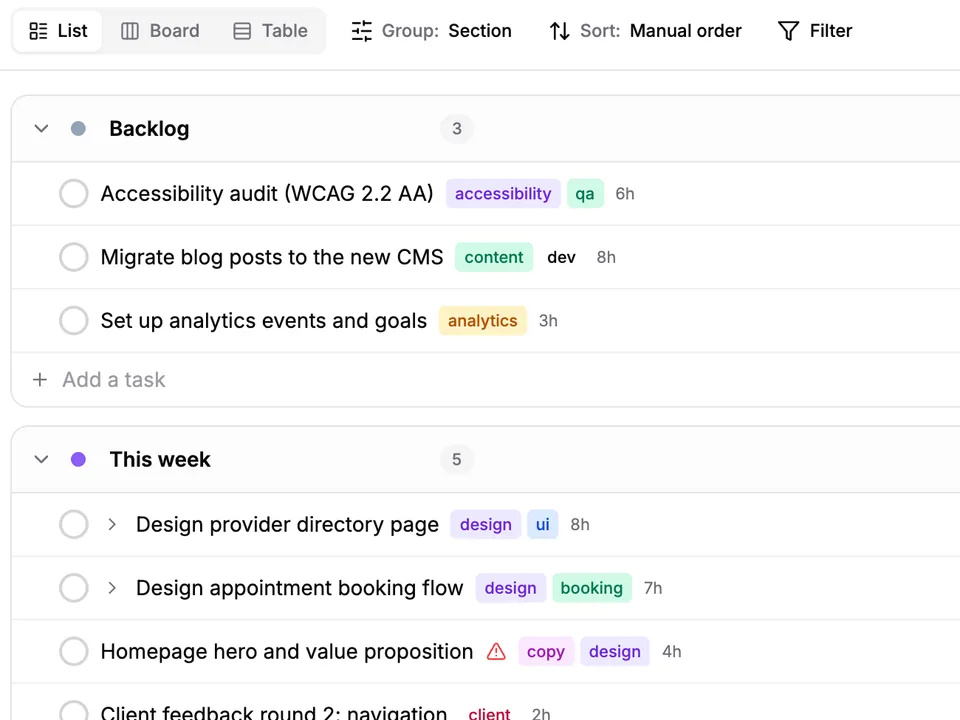
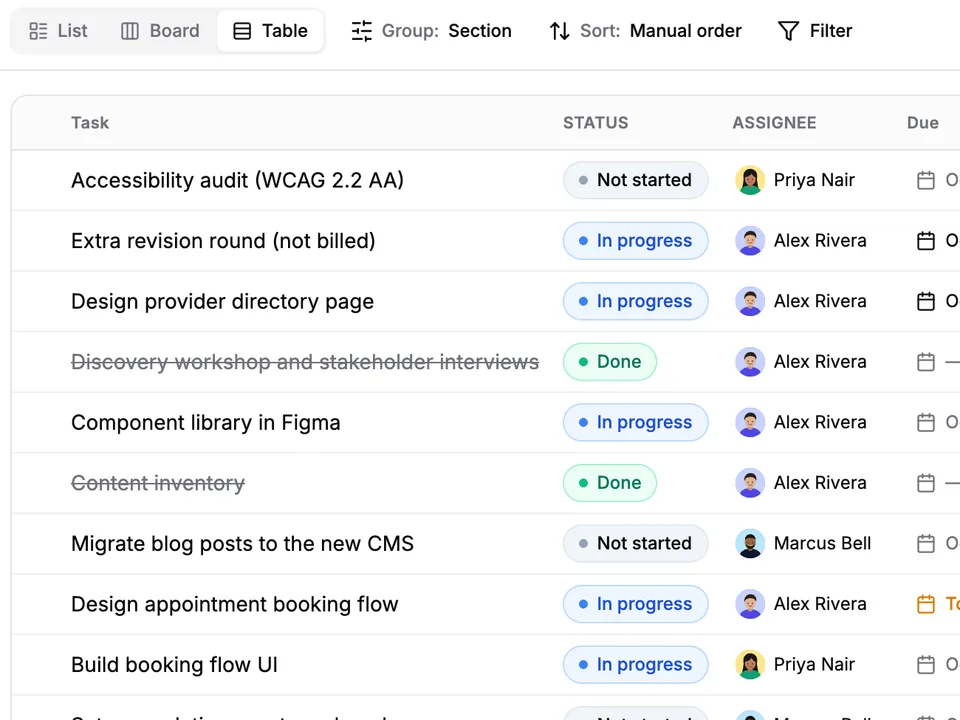
A project opens as plain sections stacked down the page. Flip it into a board when you want columns, or a table when you are reviewing rather than doing. It is the same project every time, so nothing has to be moved.
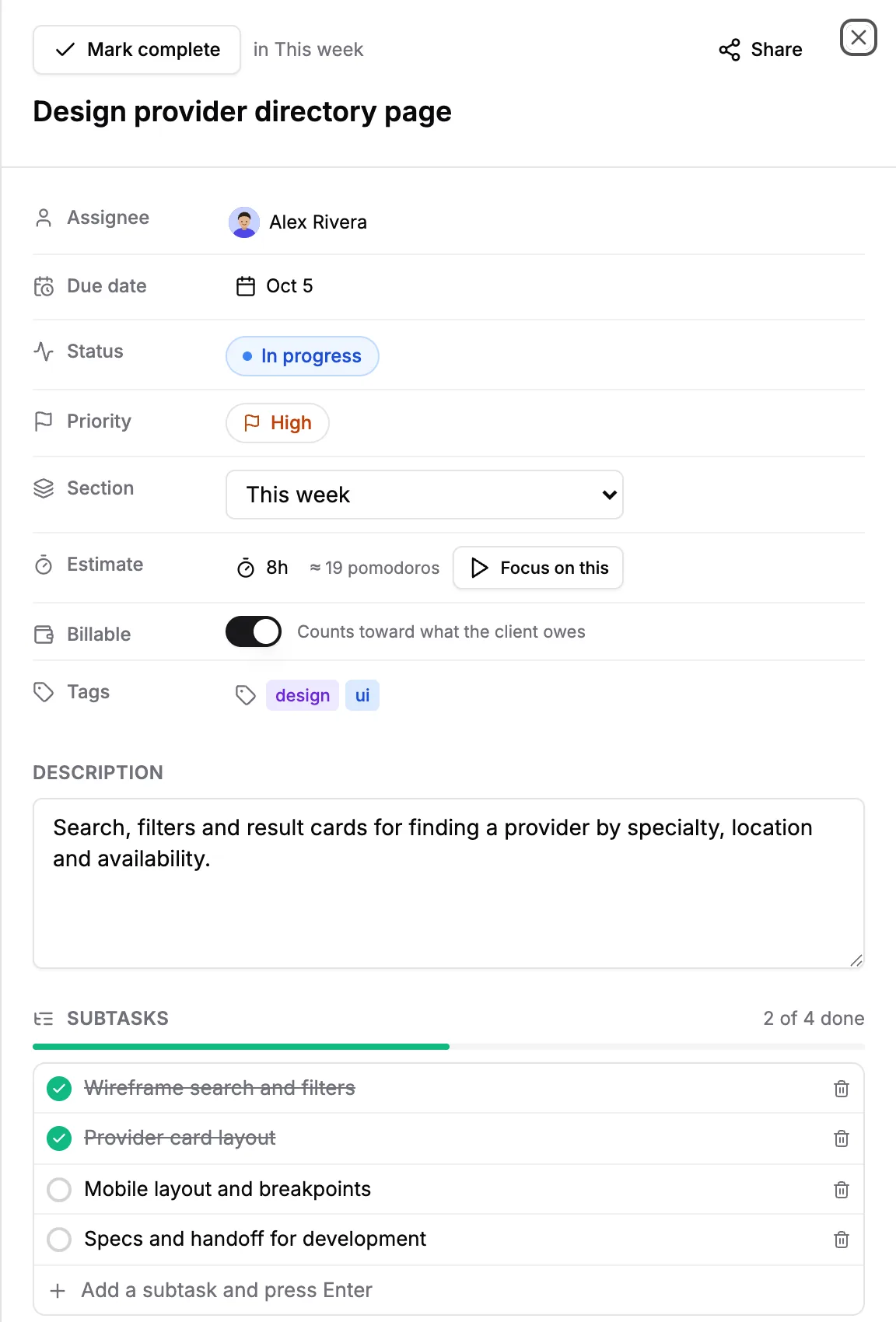
Open a task to set the owner, due date, status and priority, then estimate it in hours and see the same estimate in Pomodoros. Mark it billable or internal, split it into subtasks, talk it through in comments, or press Focus on this to start the timer on it.
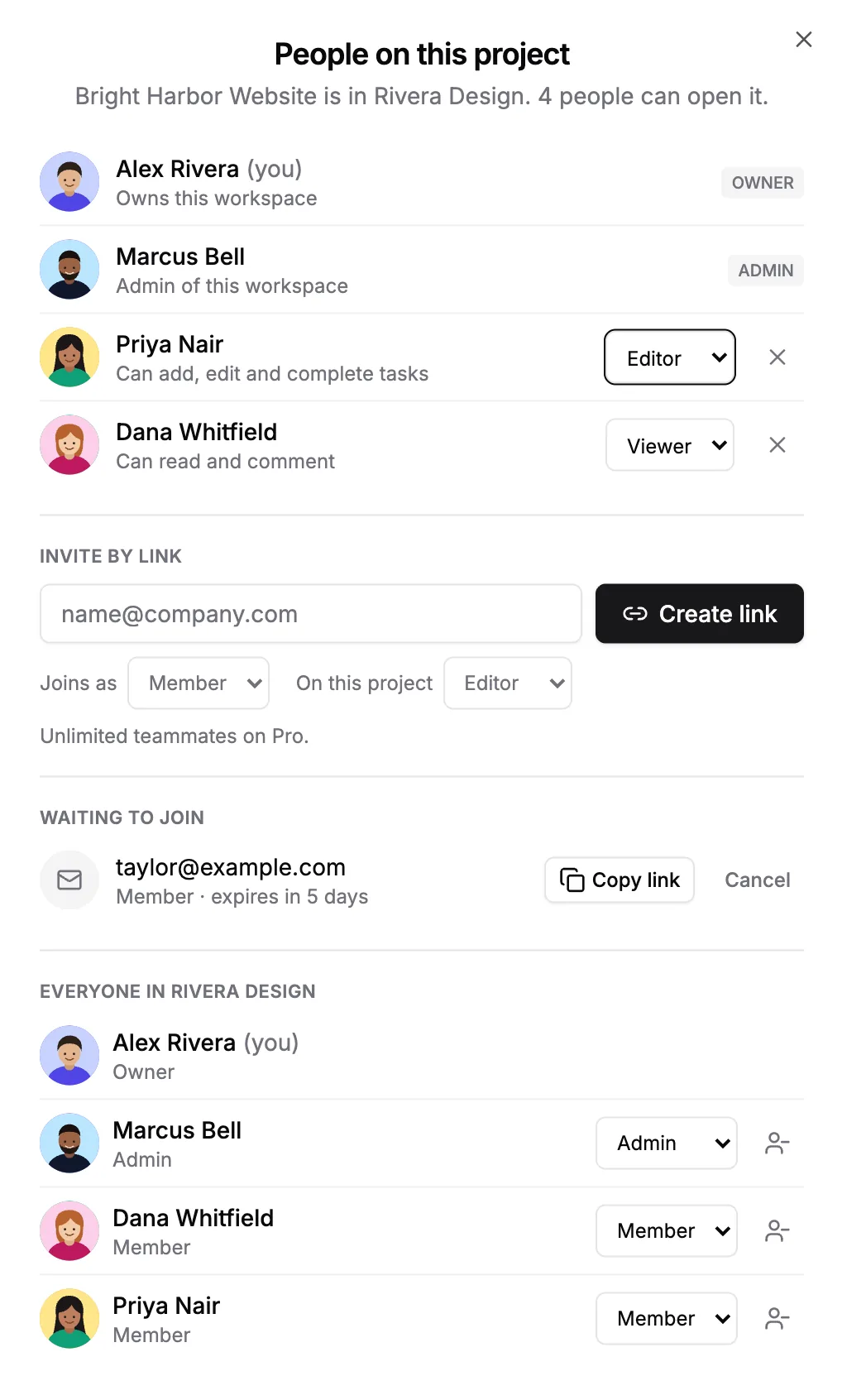
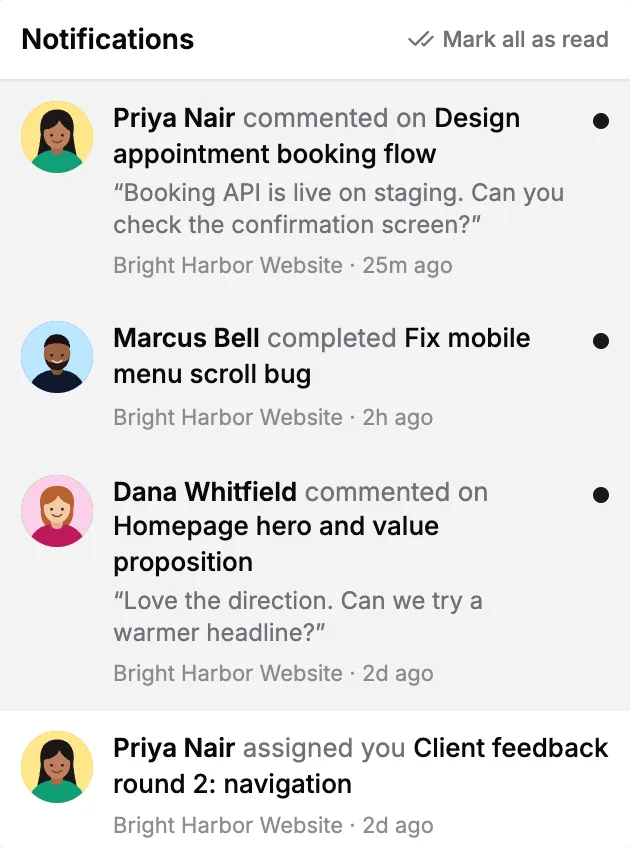
Invite someone with a link and decide what they can do: editors add, edit and complete tasks, viewers read and comment. Comments, completions and new assignments arrive as notifications. A free workspace includes 3 teammates, and Pro removes the limit.
Set how each project earns, see what the time is worth, then send the timesheet or the invoice. This is the part Pro is for.
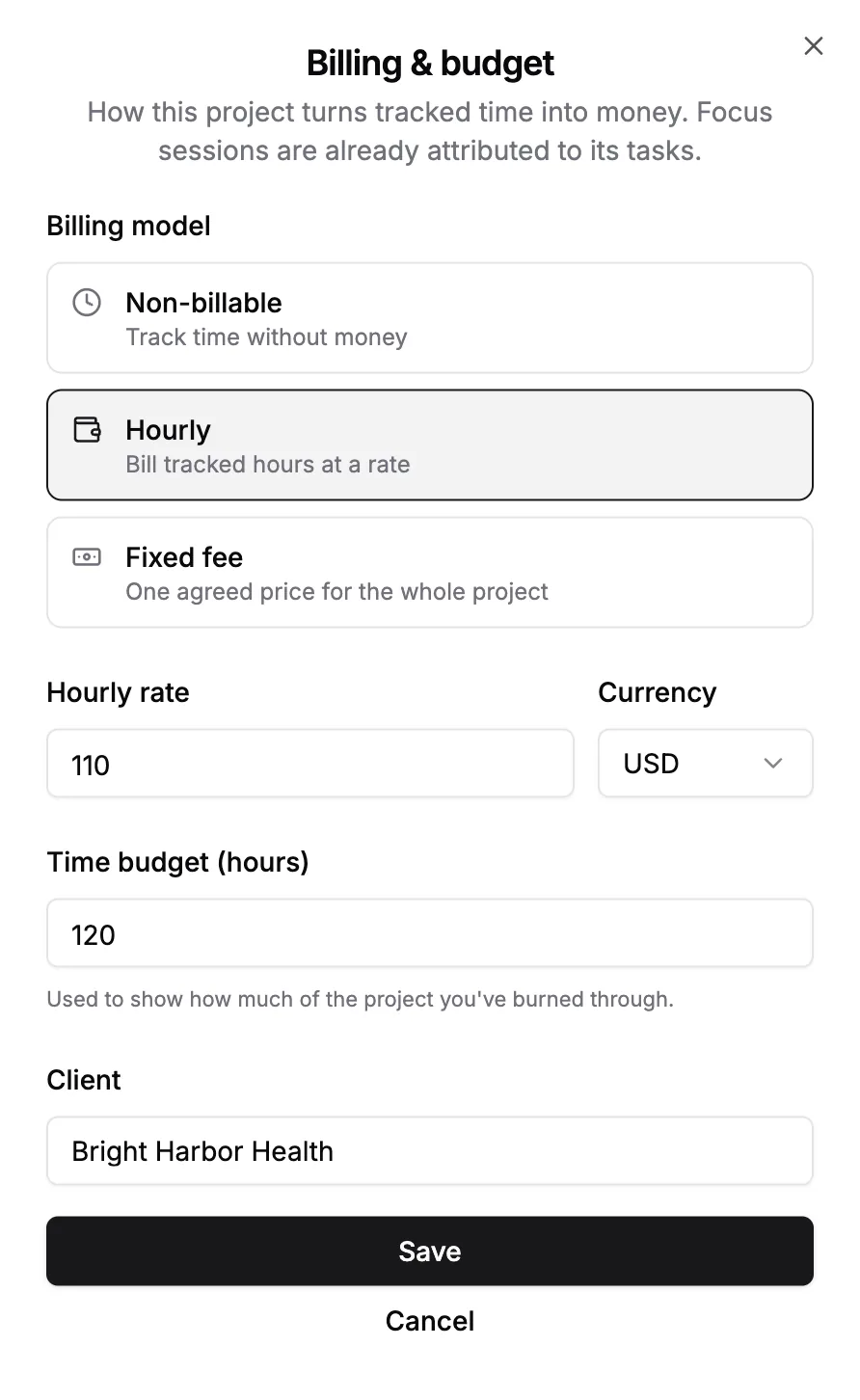
Choose how a project makes money, set the rate and the currency, give it a time budget and name the client. Sessions already filed under the project's tasks pick up the rate, so nothing has to be entered twice.
Worth adds up the hours, the billable value and the unbilled time on a project, shows how much of its budget is gone, and compares each finished task with its estimate. On fixed-fee work it tells you what the project actually paid you per hour.
On the free plan you see your hours and estimates for the last 7 or 30 days, with the money figures hidden.
Work out your freelance rate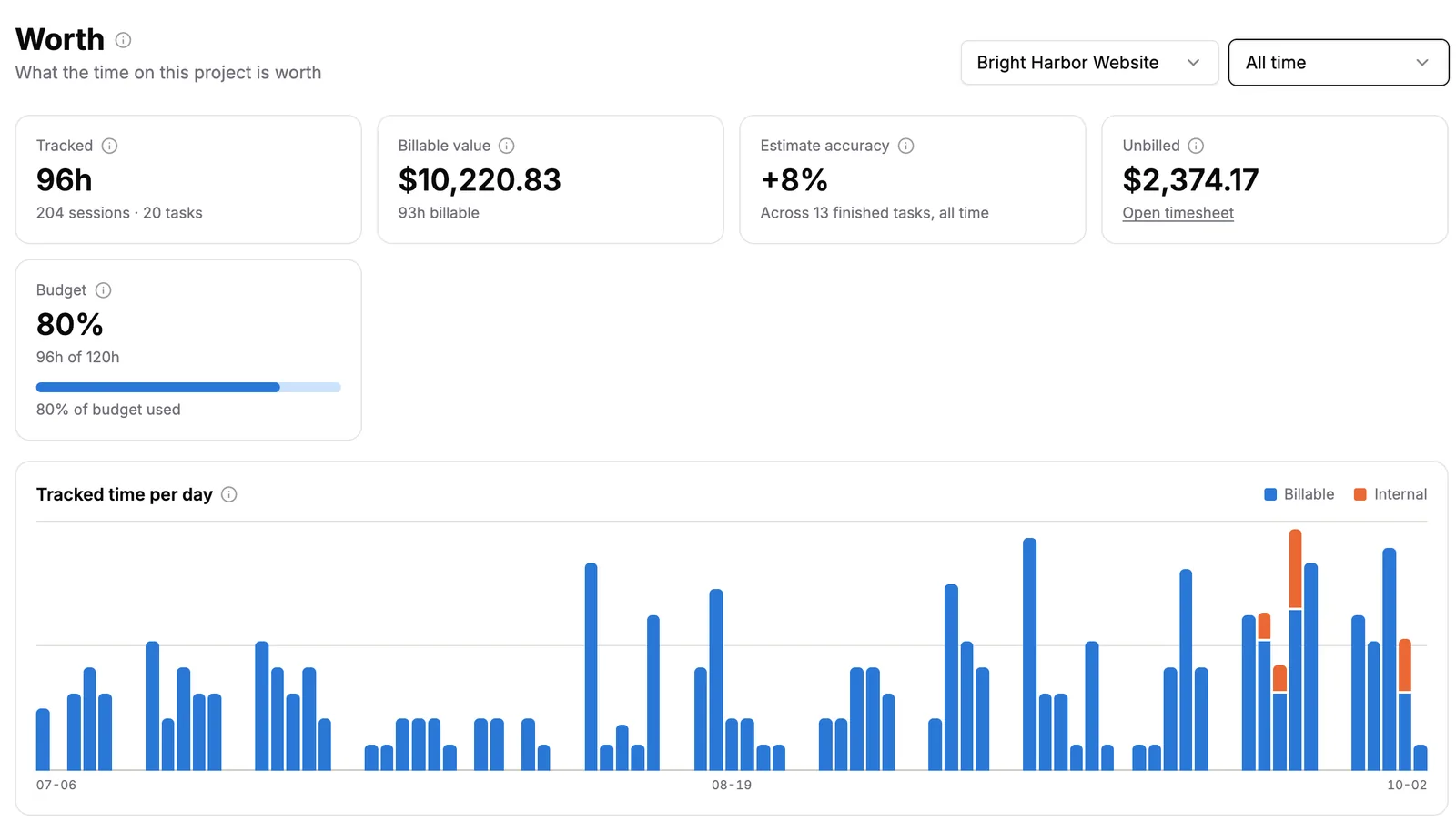
Every billable session becomes a dated line with the task, the hours and the amount. Add time you tracked somewhere else, export the period for the client, and mark it invoiced so the same hours are never billed twice.
Free accounts see the last 7 or 30 days and can add time. Exports, the unbilled total and marking a period invoiced are on Pro.
Get a free timesheet template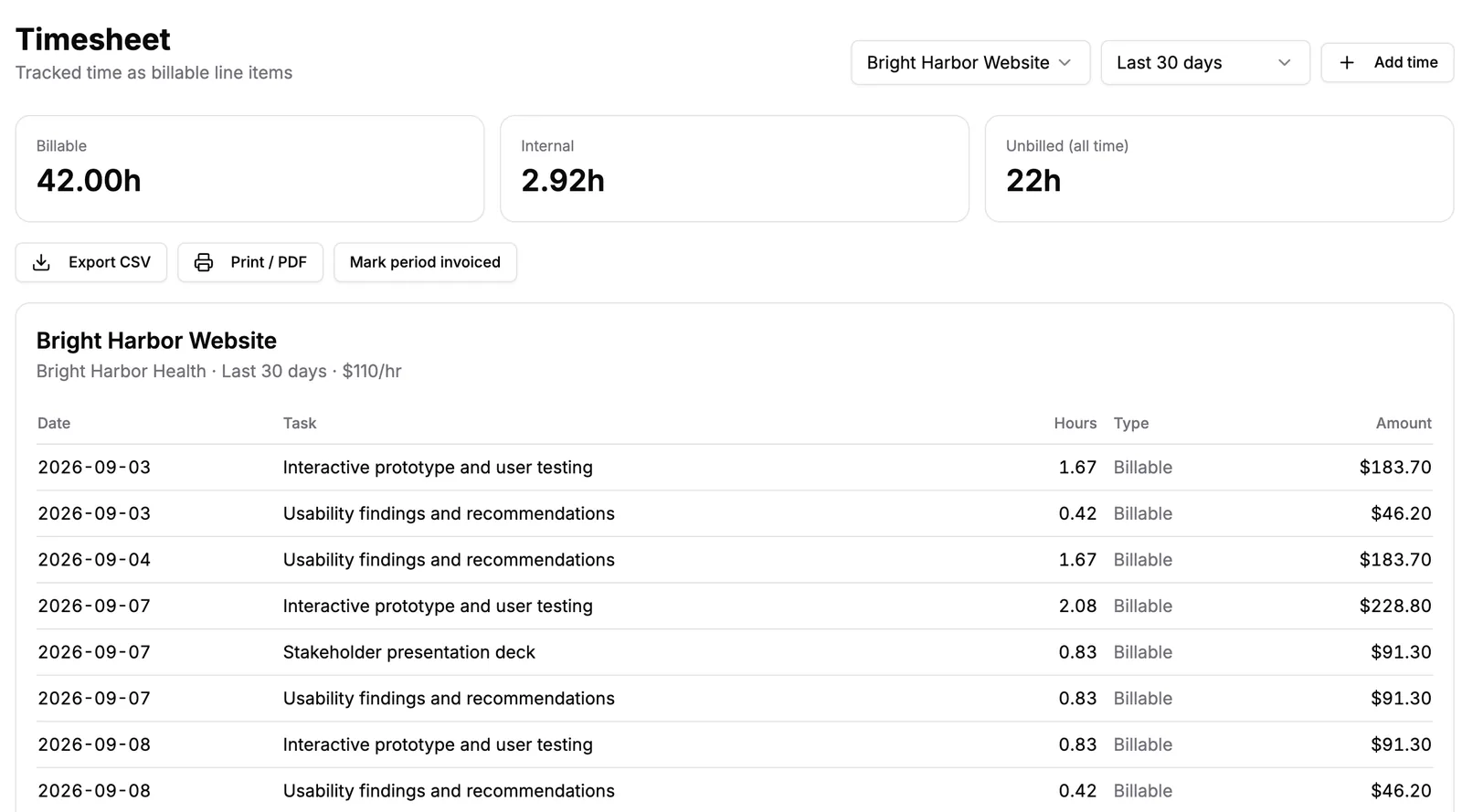
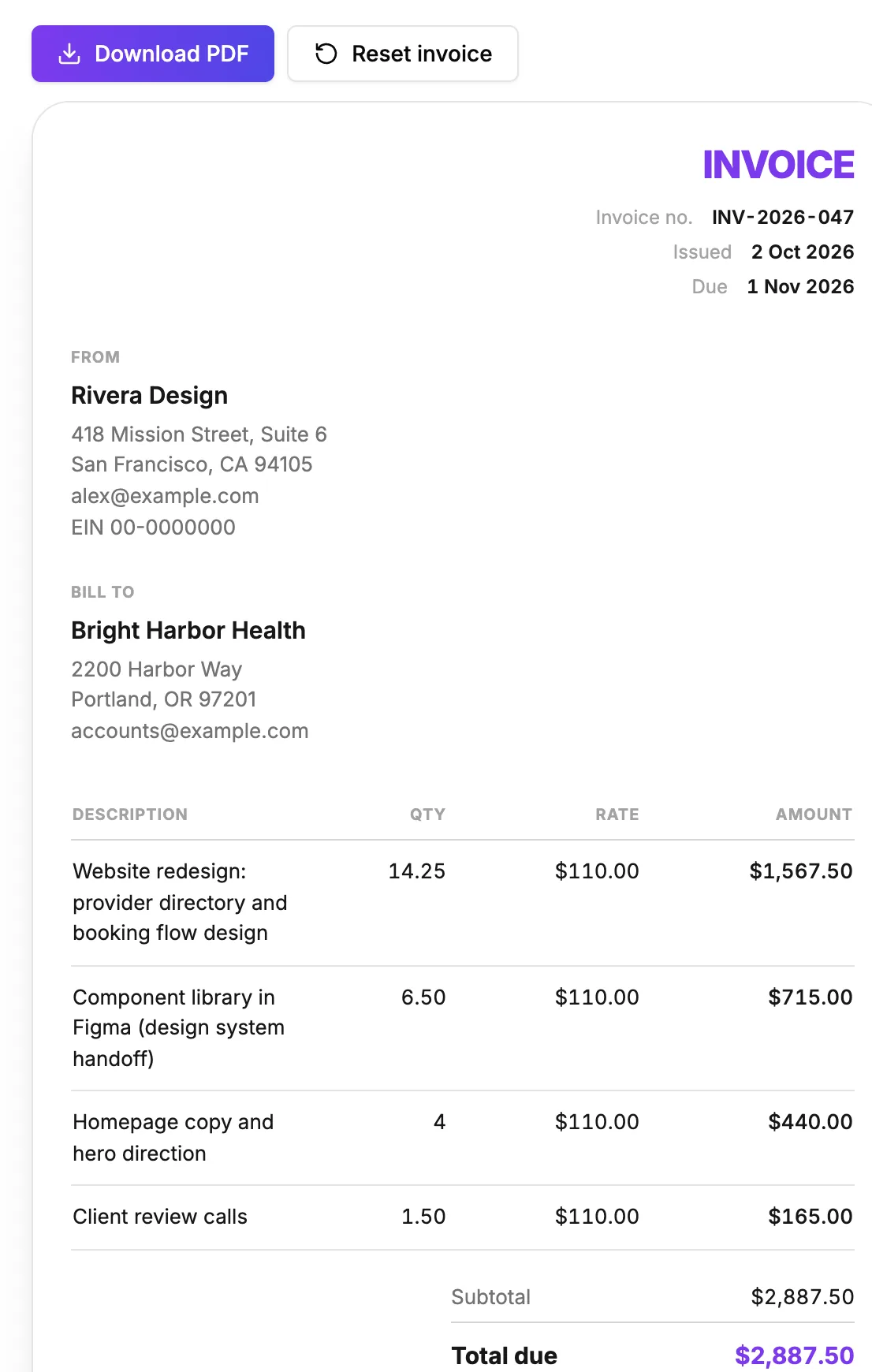
Fill in your details and your client's, choose the currency and the payment terms, add your logo and line items, and download a clean PDF. The timesheet with the hours is one click away.
A Chrome extension that blocks distractions, a dark mode, keyboard shortcuts and a shelf of free tools.
A free extension that closes YouTube, Reddit, Shorts and the rest while a Pomodoro runs, and opens them on your break. Connect it and every session lands here, on the task you picked.
See the website blocker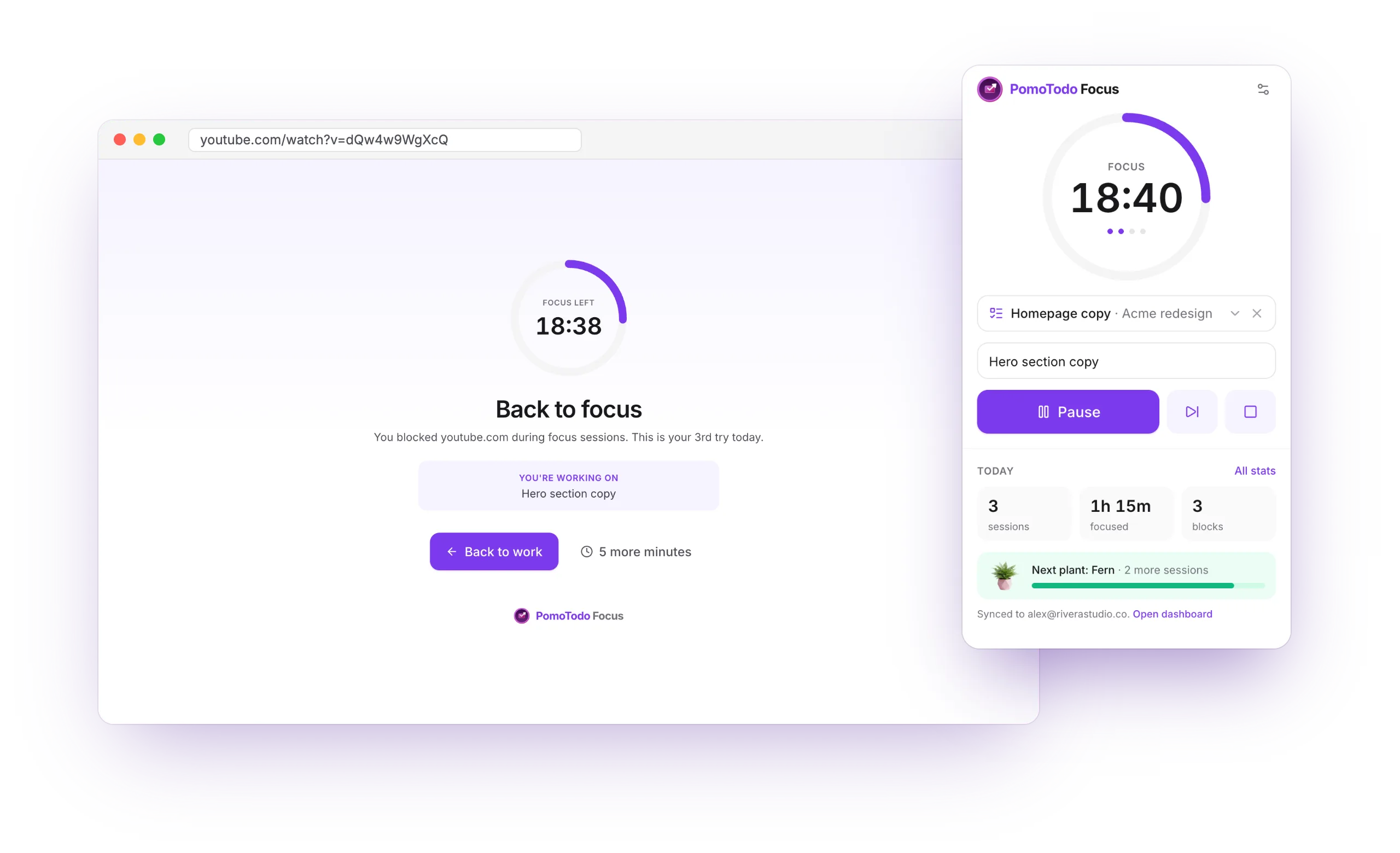
Switch themes from the sidebar. The board, the timer and every report come in both.
Drive the board without the mouse. Press ? on any project for the full list.
Calculators for hours, pay, dates and invoices, all free and all on this site.
Open pomotodo.net on a laptop or a phone. Sessions, tasks and projects sync to your account, so there is nothing to install.
Focusing, planning and tracking are free, with no cap on sessions, tasks or projects. Pro adds the long view and the money side: full focus history, billable value, longer reports, exports and unlimited teammates.
| Feature | Free | Pro |
|---|---|---|
| Focus | ||
| Pomodoro timer with the task picker | Included | Included |
| Focus sessions | Unlimited | Unlimited |
| Statistics and the plant garden | Included | Included |
| Streaks | Included | Included |
| Streak freezes | Not included | 2 a month |
| Focus history | Last 30 days | All time |
| Best hours and focus by project | Last 30 days, top 3 projects | Any range, every project |
| Trends | This week vs last week | Week, month and quarter |
| Goals | 1 daily goal | Daily, weekly and per project |
| Export focus sessions as CSV | Not included | Included |
| Sync with the PomoTodo Focus extension | Included | Included |
| Blocked sites on this computer | 30 days | 90 days |
| Plan | ||
| Projects and tasks | Unlimited | Unlimited |
| List, board and table views | Included | Included |
| Teammates in your workspace | 3 | Unlimited |
| Get paid | ||
| Billing models, rates and budgets | Included | Included |
| Worth: hours, budget burn and estimates | Last 7 or 30 days | Up to all time |
| Billable value and effective hourly rate | Not included | Included |
| Timesheet lines | Last 7 or 30 days | Up to all time |
| CSV and PDF timesheet export | Not included | Included |
| Unbilled total and marking periods invoiced | Not included | Included |
| Invoice generator with PDF download | Included | Included |
| Price | $0forever | $12/monthor $99 a year, save 31% |
No card for the free plan. Cancel Pro from your account settings whenever you like.
The features are the same for everyone. What changes is which ones you lean on, so start with the page written for your kind of work.
Run sessions against client projects, read what the month was worth, and send the timesheet or the invoice without rebuilding the work from memory.
Invoicing for freelancersOne subject per Pomodoro, a garden that grows as revision adds up, and a blocker that keeps YouTube shut until the break.
Timer for studyingLong focus blocks, a board you can drive from the keyboard, and estimates that show which tickets always run over.
Timer for codingShared projects with editors and viewers, comments and notifications, and three teammates on the free plan.
Project managementThe short answers. Each feature's own page goes into more detail.
Still deciding? Run a session first or ask us anything.
Create a free account, pick a task and run a session. By the end of the week you will have statistics, a timesheet and the first plant in your garden.
Already have one? Log in