
The day just goes
You sat down at nine. It is somehow four. You could account for maybe two of those hours, and the rest went somewhere between a browser tab and a message thread.
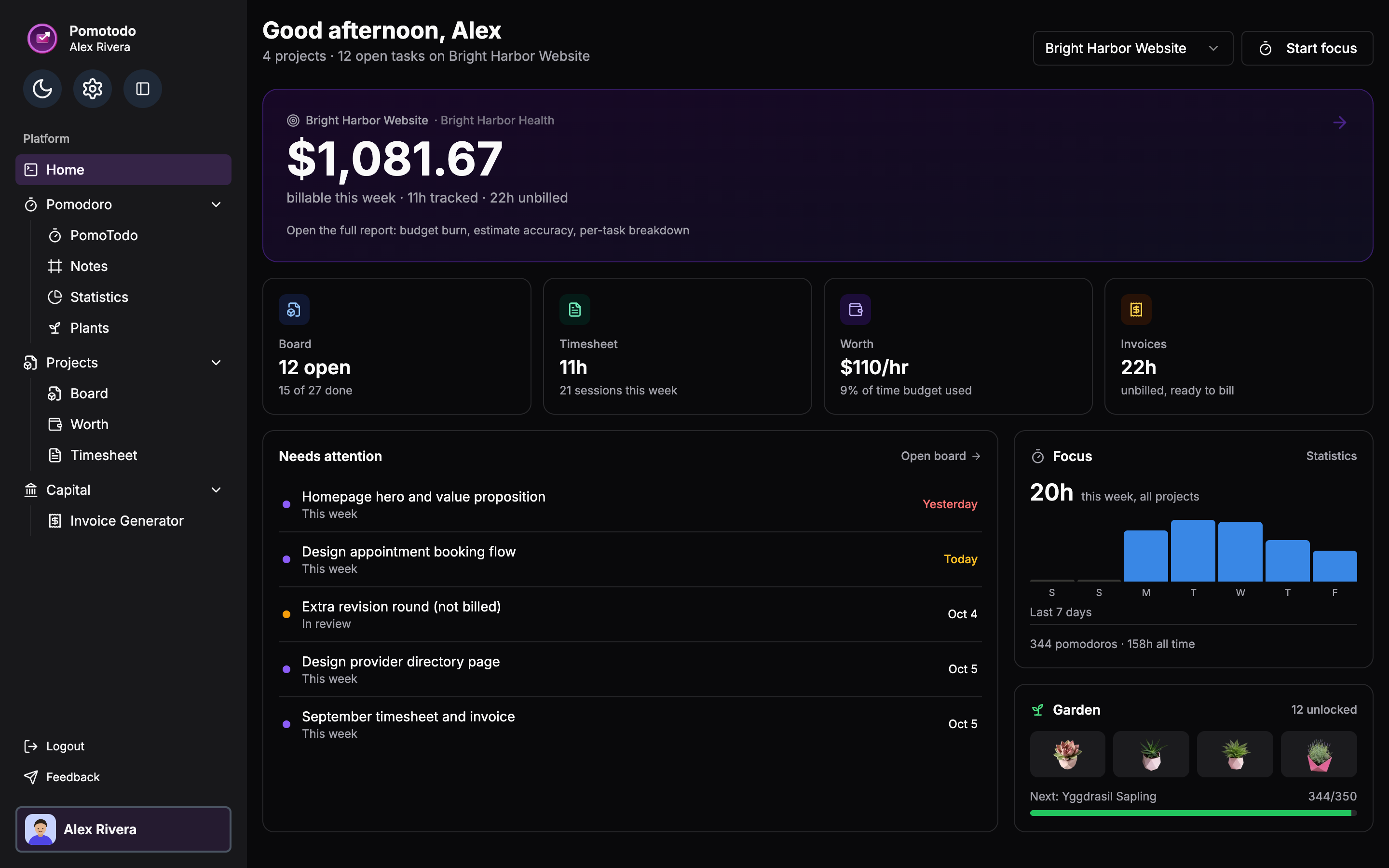
Start a session, work your list, and watch the hours land against real projects. PomoTodo puts a proper focus timer, your tasks and 36 free tools in one tab. Open it and start. The account is optional.
Time does not disappear because you are lazy. It disappears because nothing is counting it, and the list you are working from was never sorted.
You sat down at nine. It is somehow four. You could account for maybe two of those hours, and the rest went somewhere between a browser tab and a message thread.
Everything on it looks urgent, so nothing gets ranked. The one task that would actually move something forward is still sitting near the bottom where you left it on Monday.
A client asks what the retainer covered this month, or you ask yourself where the week went, and the only honest answer is a rough guess written after the fact.
A timer that counts, a list that sorts, and projects that add the hours up on their own. No stack of six subscriptions pretending to talk to each other.
Ten presets from the classic 25 and 5 to a 52 and 17 deep work block. Change the lengths, go fullscreen, pick an alarm that does not make you jump.
Capture in one line, set a priority, attach the timer to whatever you are on right now.
Sections, owners and due dates, or a board if you prefer columns. Every session you run is filed against the project it belongs to.
Hours per day, per project and per client, with streaks that make a run of good weeks visible. When someone asks where the month went, open this.
Finish a session, grow a plant. Sixteen of them, some rare enough to take real weeks of focus.


Lofi, rain and brown noise on a loop, with backgrounds you can actually stand looking at for eight hours.
There is no setup phase, no workspace to configure and no onboarding checklist. You are one click from a running timer.
Put it at the top of the list and mark it active. The timer attaches itself to that task, so at minute nine you are not deciding all over again what you should be doing.
Press start, go fullscreen if the other tabs are the problem, and work until the bell. The break starts on its own, and so does the next round.
Each finished session lands on the project it belonged to. By Friday the total is already written, and the invoice comes straight off the back of it.
A project management tool is what helps you keep track of your tasks and time. Pomotodo's project management tool helps you seemlessly track your projects and tasks, and even share with the peers you collaborate with.
A project opens as plain sections stacked down the page, which is closer to how most people actually hold work in their head. When you want columns instead, the same project becomes a board without you moving anything. There is a table view for the weeks you are reviewing rather than doing.
Type a task in a single line before the thought escapes, then give it only as much structure as it earns. A due date if it has one, a priority when it competes, subtasks when one job turns out to be five. The list does the sorting so you are not re-reading it every morning.
Same engine underneath, tuned for a different job. Fifty-two on and seventeen off if you write for a living, fifteen minute blocks if the standard twenty-five is too long a runway.
Full settings, task list, ambient sound and fullscreen. If you are not sure which one you want, this is the one you want.
Browse all Pomodoro timers and compare them side by side.
No account, no export limit and nothing held back for a paid tier. They run entirely in your browser, which also means whatever you type into them never leaves your machine.
Track a week, or work out a span or a timesheet without opening a spreadsheet.
Turn hours into what they are worth, then into something you can send.
Raises, self-employment tax, what a hire costs, PTO and mileage.
Ages, deadlines, working days and week numbers, counted properly.
Lay out a project, keep a streak going, or check a piece of text fits.
A bedtime that fits the alarm, the sleep you owe, and a plan for a new time zone.
Sort tasks by urgent and important. Do, schedule, delegate, delete. Fill it in on screen or print the blank grid and do it with a pen.
The technique is the same everywhere. What changes is the ratio, the interface and how hard the timer pushes. Pick the one written for your problem.
Revision goes badly when it is one four hour block you keep flinching away from. Twenty-five minutes with a countdown on screen is a much smaller thing to agree to.
Timer for studyingTwenty-five minutes is short if you have just loaded the whole call stack into your head. Fifty on and ten off protects the part that took twenty minutes to build.
Timer for codingTracked hours are the invoice. Run sessions against a project, read the total at the end of the month, and send the PDF without reconstructing the work from memory.
Invoice generatorShorter blocks, visible progress and an alarm that does not startle you. The point is lowering the cost of beginning, not squeezing more out of the hour.
Gentler timerTiming your work, sorting your list and every calculator on the site cost nothing and always will. Pro adds your whole focus history and insights, plus the reports and invoices someone else reads.
For anyone who just wants to get the day done.
$0forever
No card. The timer works before you even make one.
Your whole focus history, and the billing.
$12/month
or $99 a year, which works out at $8.25 a month.
Cancel from your account settings whenever you like.
Working as a team? Seats are planned at $6 a month each. Tell us what you need.
If yours is not here, the answer is probably on the page for the tool you were looking at.
Still deciding? See the full feature list or read the blog.
No install, no trial countdown, no card. Open the timer, pick the task you have been circling all morning, and start it.
Already have one? Log in