
Summary
- Task management is about individual pieces of work. Project management is about how those pieces fit together toward one outcome with an end date.
- You have outgrown task management when your list stops answering "how far along are we" and starts answering only "what is next."
- Most people need both, and switching between them should not mean switching apps.
- PomoTodo gives you free task management and free project management in the same place, with a Pomodoro timer attached to both.
Imagine you are cooking. Task management is the list on the counter: chop onions, preheat oven, defrost the chicken. Every line is a thing you can pick up and finish.
Project management is knowing that dinner needs to be on the table at eight, that the chicken takes fifty minutes, and that if the oven is not on by seven you have already lost. Same work, different altitude.
Both matter. The mistake is thinking you have to choose, or worse, running a whole project out of a to do list and wondering why you keep getting surprised by deadlines.
Here is the actual difference between task management vs project management, how to tell which one your work needs right now, and why the switch between them should be a click rather than a migration.
What Is Task Management?
Task management is keeping track of individual pieces of work and getting them done.
A task is anything you can finish in one sitting or a few. Reply to the client. Book the flights. Fix the broken email. It has a state, roughly not started, doing, or done, and often a due date and a priority.
Good task management answers one question really well: what should I do next?
That sounds small. It is not. Most people's tasks are scattered across six places right now. Some are in a notes app. A few are in an inbox, flagged and forgotten. One is on a sticky note that fell behind the desk, and the rest are a low hum of worry that you are missing something.
That hum is the cost of not having one list you trust. A task management tool earns its place by being the one spot you check, which means adding a task has to be fast, fields have to be optional, and the list has to tell you what is due without being asked.
What task management looks like day to day
- One list you actually open
- Priorities, so the urgent stuff reads at a glance
- Due dates, with overdue work marked clearly
- Subtasks, for when one line on your list is really five
- Filters, so you can hide everything except what matters this morning
That is a complete system for a lot of people. If your work is a steady stream of individual jobs, task management is genuinely all you need. Do not let anyone sell you a Gantt chart for it.
What Is Project Management?
Project management is organising many tasks toward a single outcome that has a beginning and an end.
The key words are outcome and end. A project is not a permanent flow of work, it is a thing that finishes. A product launch. A client website. A dissertation. A house move. Once it is done, the project is closed.
Project management answers a different question: how far along are we, and what is going to bite us?
To answer that you need things a plain list does not have. You need stages, so you can see where work is stuck. You need to see the whole scope at once, not just today. You need to know who owns what, so gaps are visible. And you need some sense of size, so you can tell whether the remaining work fits in the remaining time.
What project management looks like day to day
- Work grouped into sections or stages rather than one flat list
- A view of the whole scope, not just this week
- Owners on tasks, so nothing is quietly unassigned
- Progress you can actually see, like six of sixteen done
- Multiple views of the same work, because planning and reviewing need different shapes
- Estimates, so the plan stays honest about how big the week really is
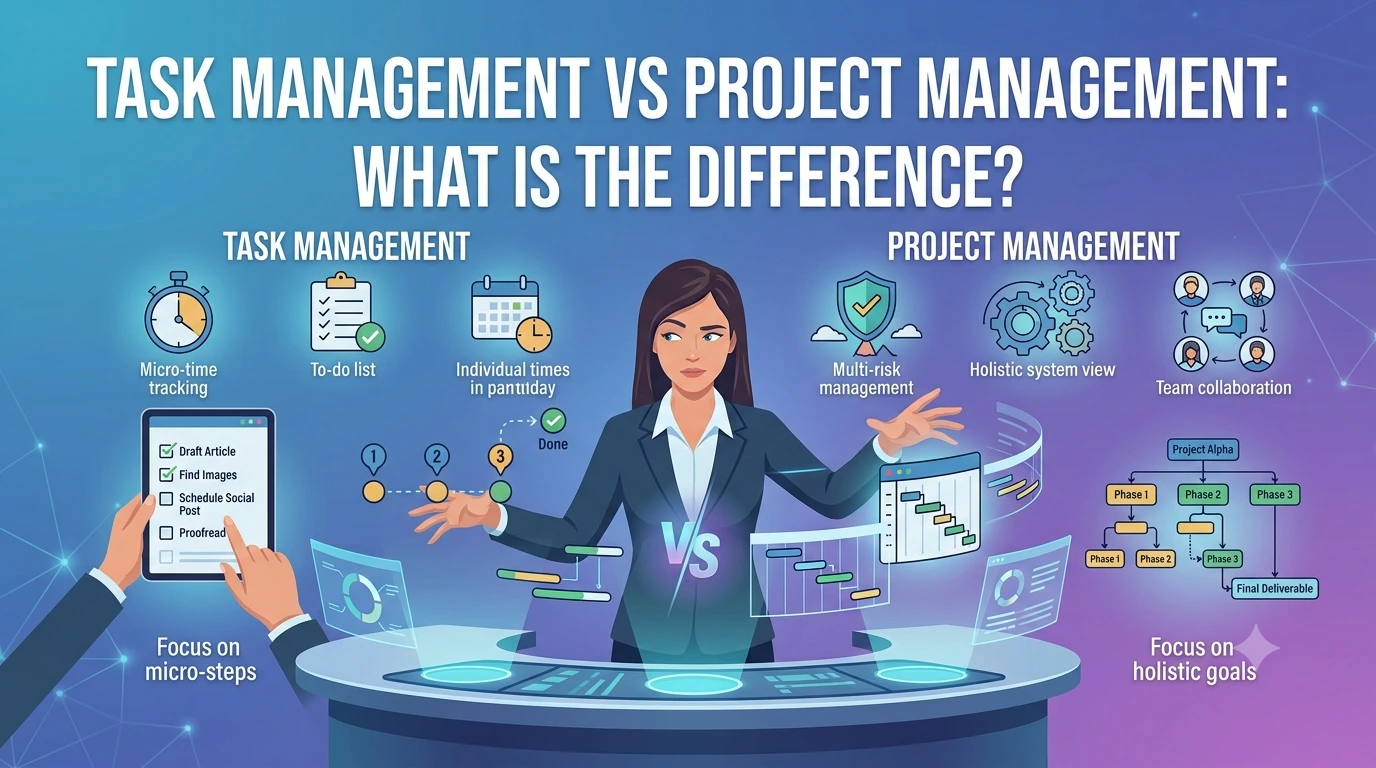
The Real Difference, Side by Side
| | Task management | Project management | |---|---|---| | Unit of work | One task | Many tasks toward one outcome | | Question it answers | What do I do next? | How far along are we? | | Time horizon | Today, this week | Start to finish | | Does it end? | No, it is ongoing | Yes, a project completes | | Structure | A list | Sections, stages, or columns | | Typical view | List, sorted by date or priority | Board, table, or grouped list | | Best for | Personal work, steady streams of jobs | Launches, client work, deliverables |
The row that matters most is the second one. If you only ever need to know what to do next, you need task management. The moment someone asks "are we going to make it," you have crossed into project management.
Five Signs You Have Outgrown a To Do List
Nobody sits down and decides to graduate from tasks to projects. You notice it in symptoms. Here are the honest ones.
1. You cannot answer "how far along are we"
Your list tells you there are twenty three things left. It does not tell you whether that is nearly done or barely started, because there is no denominator. Projects give you a percentage. Lists give you a pile.
2. Deadlines surprise you
Not because you forgot them, but because you did not see them coming as a group. A list shows you today. It does not show you that four things are due next Tuesday and three of them depend on the same person.
3. Work is stalling somewhere invisible
Something has been "in progress" for eleven days and nobody noticed, because "in progress" is a checkbox state rather than a visible stage. Sections and columns make stalling obvious.
4. You keep rebuilding the same list
Every Monday you rewrite this week's tasks from scratch because there is no permanent structure holding the bigger picture. Projects give you sections that persist while the tasks inside them turn over.
5. You are guessing about capacity
You commit to a week that turns out to be twice the size it looked. Without estimates, a list of fifteen tasks and a list of fifteen much bigger tasks look identical.
If you nodded at two or more of those, it is time to look at a project management tool rather than another to do app.
When You Should Not Upgrade
The opposite mistake is just as common, and more annoying. People adopt a heavy project tool for work that was always just a list.
Stay with task management if:
- Your work is a steady stream of small jobs with no shared outcome
- You are the only person involved and nothing depends on anything else
- Your main problem is remembering things, not coordinating them
- You have tried project tools before and abandoned them because the setup outweighed the work
There is no prize for using the more complicated tool. A simple task list that you open every day beats a beautiful project board that you stopped updating in March.
Pro tip: the tool should cost you seconds per day, not minutes. If you are spending real time maintaining the system rather than doing the work, you have gone one level too far up.
Spotlight: Both, In One Place, Free
The reason this comparison usually ends in frustration is that most tools force the choice. To do apps stay stubbornly flat, so the day your work grows into a project you have to migrate. Project tools open with a template gallery and a dozen fields, which is far too much ceremony for "buy milk."
PomoTodo does not split them. It is the same dashboard, the same tasks, the same timer, and you use as much of it as your work needs.
Start as a task list. Task management in PomoTodo works as a plain checklist if you want. Type a task, press enter, tick it off. The add a task line stays focused after each entry so you can empty your head in one pass, and there is a keyboard shortcut so you never reach for the mouse. Priorities from low to urgent, due dates with overdue marked in red and today in amber, subtasks with a progress bar, tags that colour themselves, and filters you stack until only what matters is on screen.
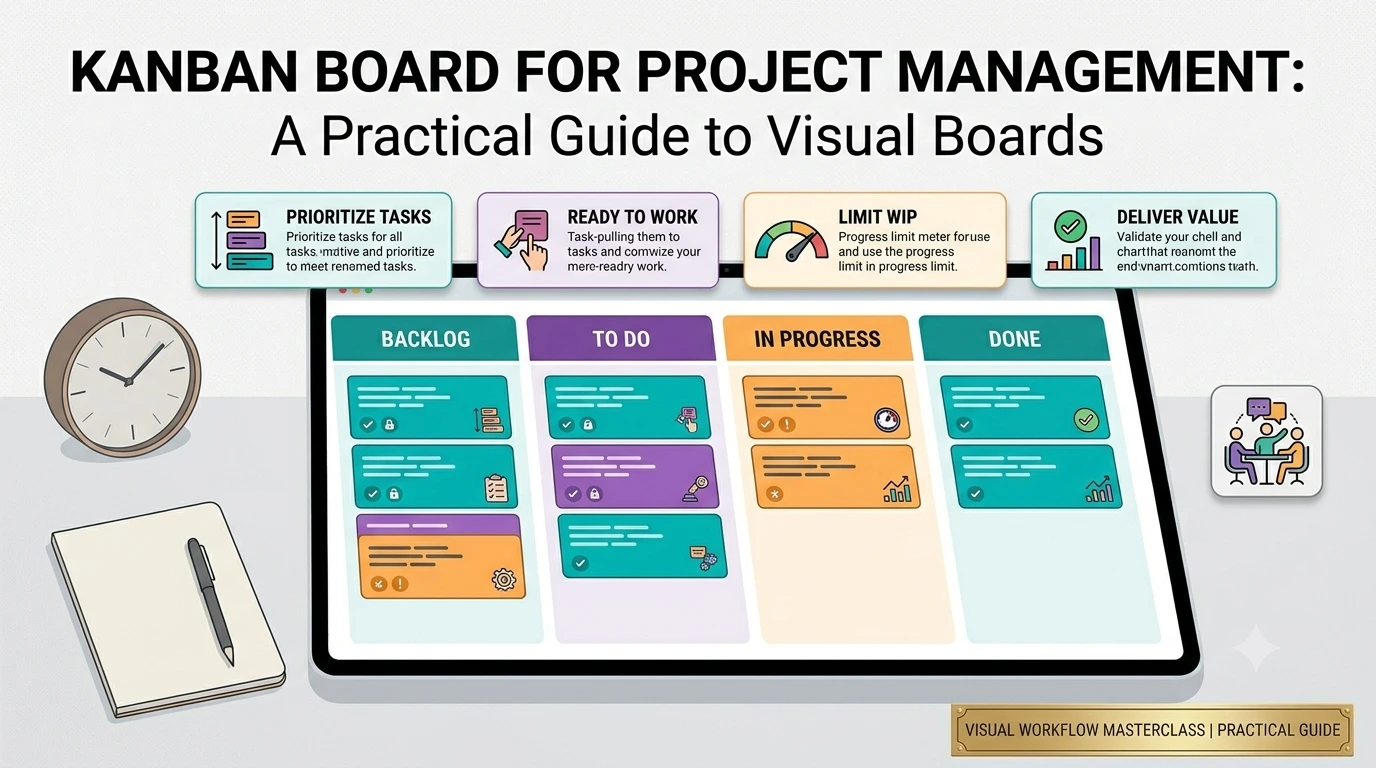
Grow into a project. When the same work needs structure, project management in PomoTodo gives you sections, a board view with draggable columns, a sortable table view, and grouping by section, assignee, due date, priority or status. A project header shows real progress, six of sixteen done, four in progress, one overdue, five due this week. Tasks carry owners, estimates, descriptions and comment threads.
Nothing to migrate. You are not moving between two products. It is the same account and the same tasks, viewed with more structure.
A couple of honest notes. Sharing and invites are not live yet, so this is a single player tool today, though it was built for teams from the start with roles, assignees and task level comments already in place. And a dedicated kanban view with its own workflow rules is still on the way, separate from the board view that exists now.
The Bit Both Sides Usually Skip
Task management tells you what to do. Project management tells you how it fits together. Neither of them helps you at the moment you actually have to sit down and concentrate.
That gap is where most systems quietly fail. The plan is immaculate. The work still has not started.
PomoTodo shares a home with a Pomodoro timer for exactly that reason. Once you have picked the task, whether from a flat list or a project board, the timer is one click away in the same place. And because you can estimate a task in hours, the app shows it back to you in pomodoros. Type 2h, see roughly five focus sessions.
That is a small thing that changes planning a lot. A week that looks fine as fifteen list items looks very different when the app tells you it is thirty eight pomodoros and there are only twenty five in your week.
FAQs
What is the difference between task management and project management?
Task management tracks individual pieces of work and answers "what should I do next." Project management organises many tasks toward one outcome with a start and an end, and answers "how far along are we." Task management is a list. Project management adds stages, ownership, scope and progress.
Can a task management tool be used for project management?
Up to a point. A list works fine for a small project with a handful of tasks and one person. It starts breaking when you need to see progress as a percentage, spot where work is stalling, or view the same work grouped in different ways. That is the moment to move to a project view.
Do I need both?
Most people do. Day to day work is tasks, and every so often something becomes a project. The useful setup is one place that does both, so you are not maintaining two systems and copying things between them.
Which comes first, tasks or projects?
Tasks. Always start by getting everything out of your head into one list you trust. Structure comes after capture, not before it. A perfectly organised project board with half your work missing is worse than a messy list with all of it.
Is there a free tool that does both?
Yes. PomoTodo includes task management and project management in the same free account, with no credit card at signup and no trial that expires. Both sit next to a built in Pomodoro timer.
Does project management mean Gantt charts and dependencies?
Not for most people. Formal project management has all of that, but the vast majority of real projects, a launch, a client site, a thesis, need sections, owners, dates and visible progress. Adding dependencies to a six week project usually creates more admin than clarity.
Start With the List, Grow Into the Project
The honest answer to task management vs project management is that it is a sequence, not a choice. Everyone starts with a list. Some of that list turns into projects. The only thing that should not happen is being forced to change tools when it does.
Get everything out of your head with free task management, and when a piece of it grows into something with a deadline and moving parts, open it as a project without moving a thing.