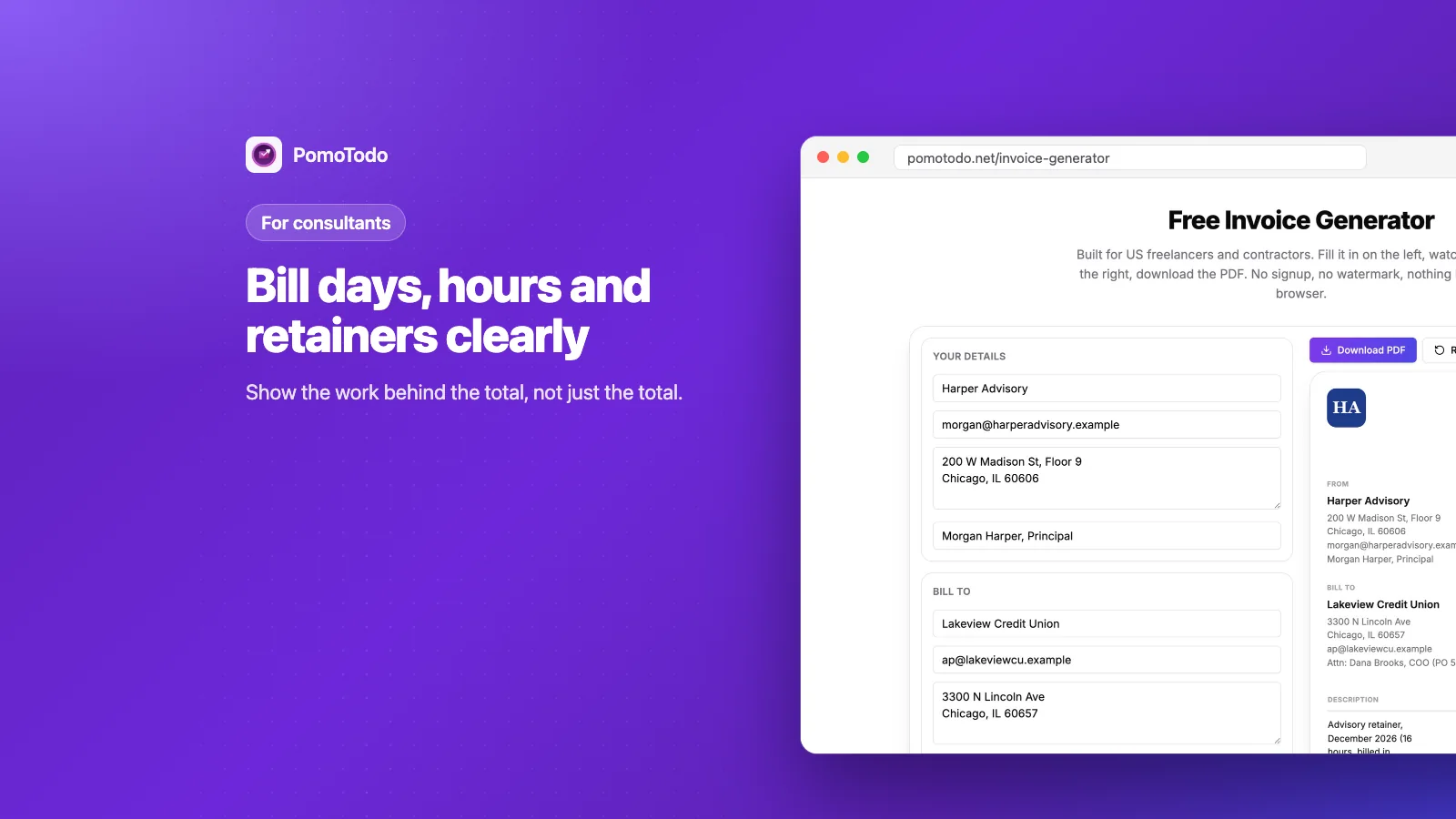

A consulting invoice is usually read by someone who wasn't in the room. The person approving it in accounts payable needs to see what was done as well as what it cost. The invoice generator makes that easy for free, whether you bill by the hour, by the day or on a monthly retainer.
This guide shows how consultants can lay out an invoice that gets approved on the first try, with a real example that mixes a retainer, extra hours, a workshop day and travel expenses.
The short version
- Describe the work, then the time. "Strategy workshop facilitation" beats "Consulting".
- Bill a retainer in advance, and extra hours afterward with a short log.
- Put expenses on their own lines, at cost, with receipts.
- Add the client's purchase order number and the name of the person who approves invoices.
Why consulting invoices get stuck
Consulting work is invisible. A plumber leaves behind a working sink. A consultant leaves behind a better decision, which is much harder to point at on an invoice.
So when an invoice says "Consulting services, $7,600", someone in finance has to go and ask what that was. That question can add weeks to your payment. A clear invoice answers it before anyone asks.
Start from the consultant template
Our consultant invoice template opens the generator already filled with typical consulting lines: workshop days, a findings report and interview hours.
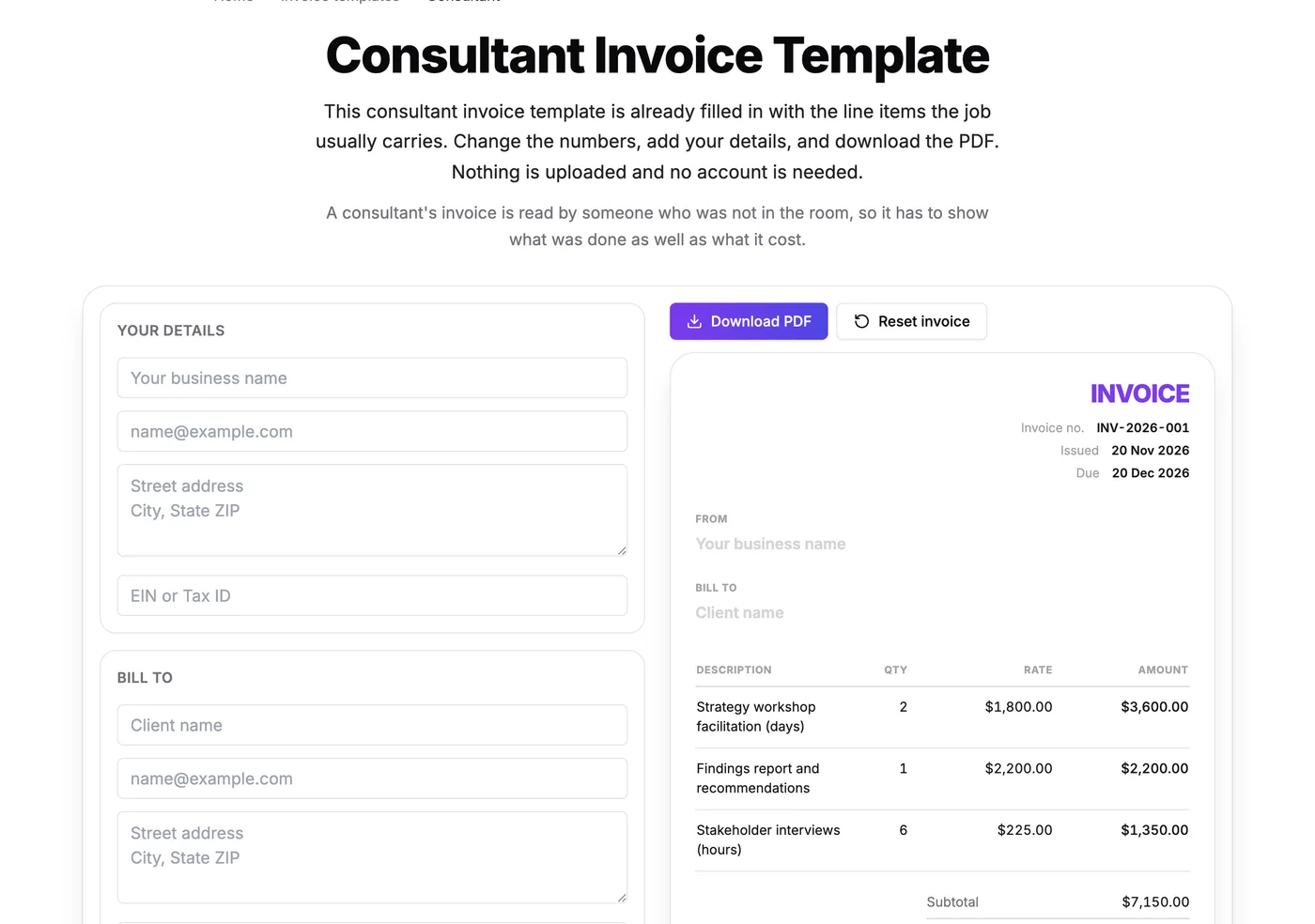
The template gives you a starting shape. Change the lines and rates to match your engagement.
Three ways consultants bill, and how each looks on an invoice
By the hour
The simplest one. Each line shows the hours, your hourly rate and the amount. If the hours are on the high side, add a short note or attach a log of what was done.
By the day
Day rates are common for workshops, site visits and intense project weeks. Put the number of days in the quantity and your day rate in the rate. Add the date to the description so it's easy to match to a calendar.
On a retainer
A retainer is a set fee for a set amount of your time each month. The big mistake here is billing the retainer after the month is over. A retainer is paid in advance, so invoice it at the start of the month it covers. Hours beyond the retainer get billed afterward, at your normal rate.
A real consulting invoice
Here's an invoice from Harper Advisory, a made up consulting firm, to a credit union client. It uses all three styles on one page.
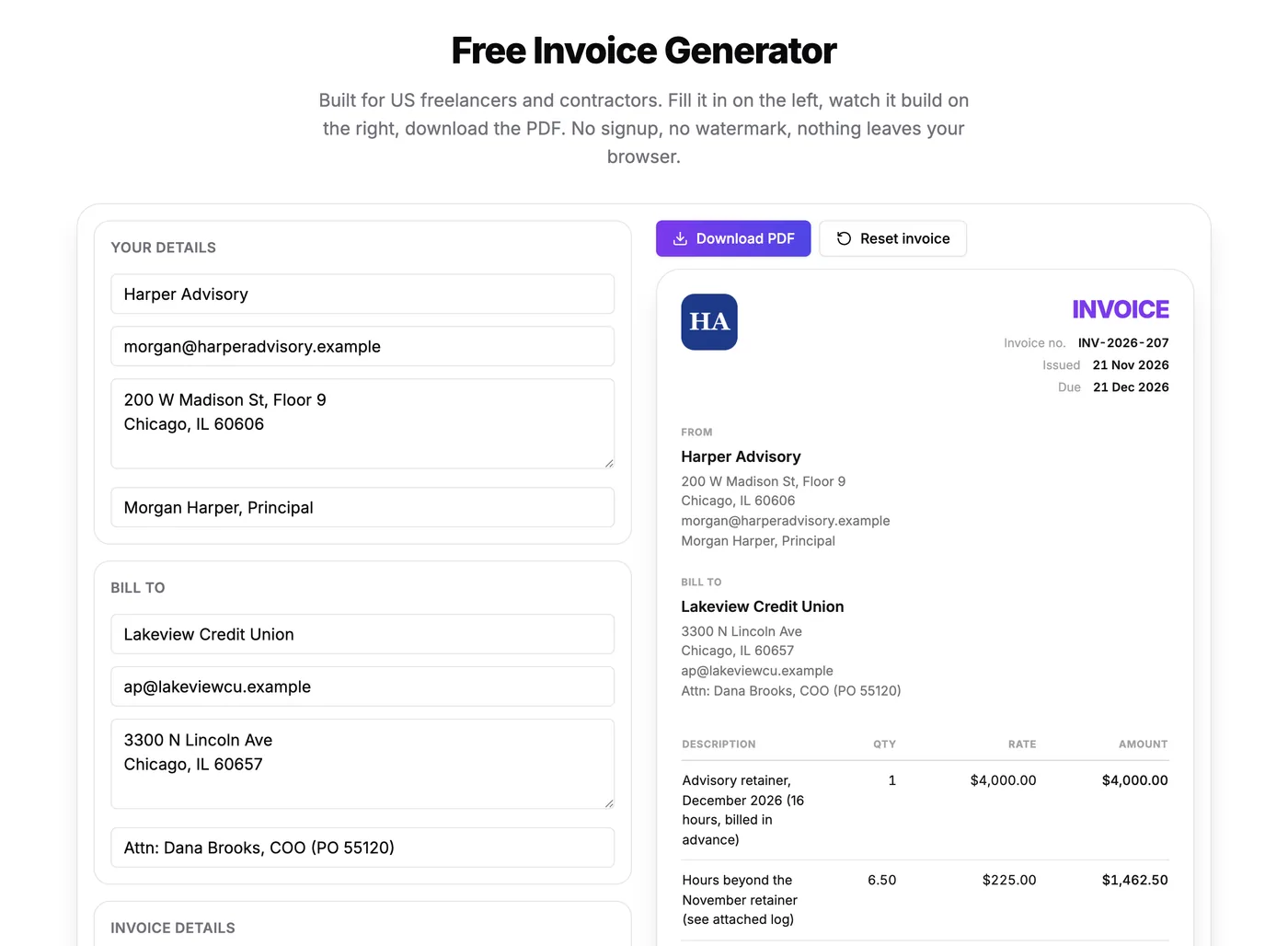
A retainer billed in advance, extra hours billed afterward, a day rate and expenses, all on one invoice.
Line by line:
- Advisory retainer for December, billed in advance. $4,000 for up to 16 hours.
- Hours beyond the November retainer. 6.5 hours at $225, with a note that the log is attached.
- Strategy workshop facilitation. One day at a $1,800 day rate, with the date.
- Travel for the workshop, at cost. $386.40, with receipts attached.
The total comes to $7,648.90 on Net 30 terms.
Expenses: at cost, with receipts
Train tickets, hotels, software you bought for the client. Put each one on its own line and say "at cost" in the description, so the client knows you aren't adding a markup. Then attach the receipts to the same email as the invoice.
Keep expenses apart from your fees. If they're mixed into one line, the client can't tell what was your time and what was money you spent for them.
Purchase orders and the person who approves it
Bigger clients often won't pay an invoice without a purchase order (PO) number. Ask for it before you start, then put it on every invoice. The "Bill to" box has a spare line that's perfect for it, like "Attn: Dana Brooks, COO (PO 55120)".
Naming the person who approves invoices matters just as much. An invoice sent to "Accounts Payable" can sit in a shared inbox for a week. One addressed to a person moves.
The finished invoice
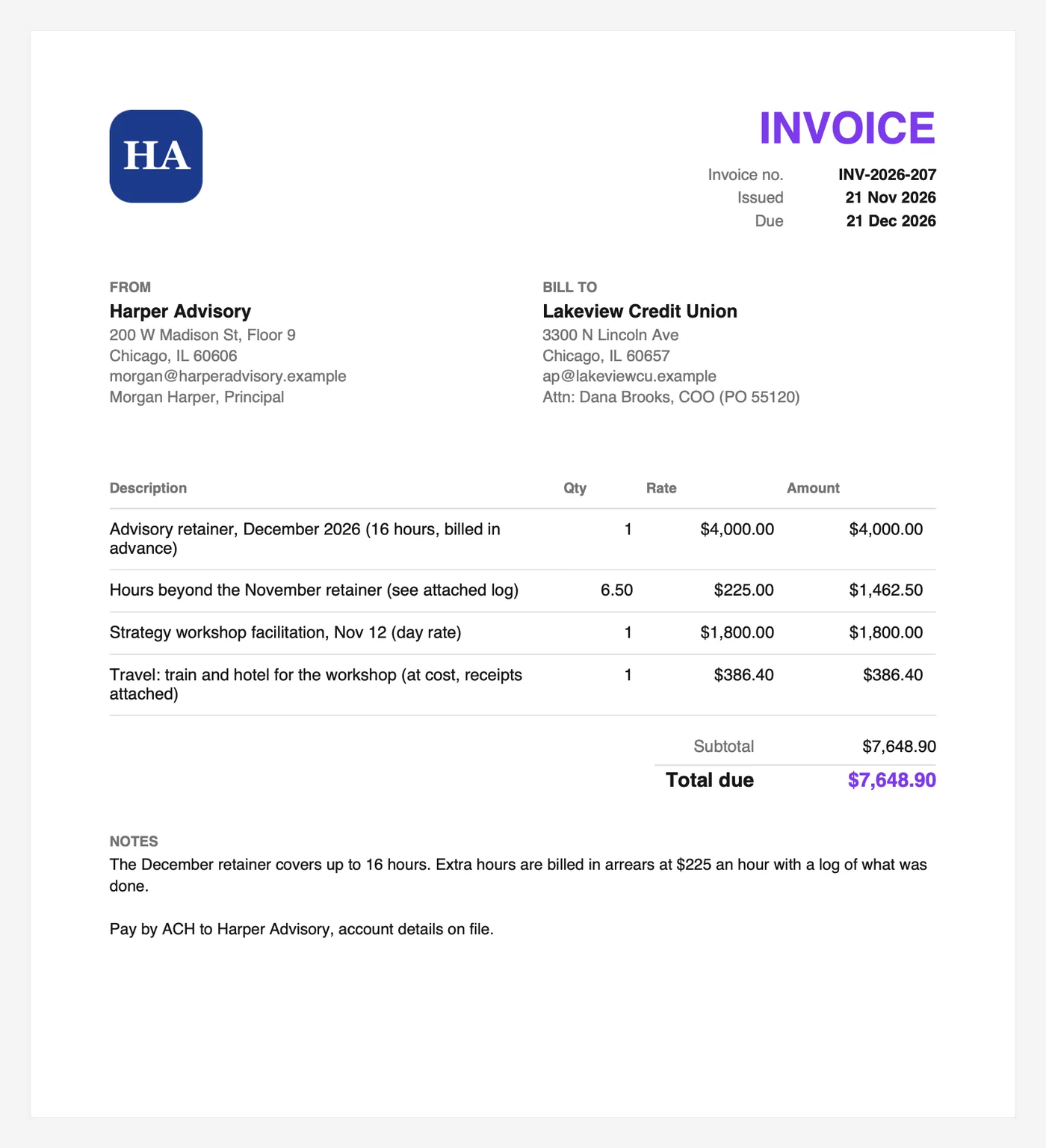
Clear lines, the PO number, a due date 30 days out, and a note that explains how the retainer works.
The notes do an important job. They explain that the retainer covers 16 hours and that extra hours are billed afterward with a log. Anyone reading it, even someone who has never heard of you, understands the bill.
Keeping track of your hours
The invoice is the easy part. Knowing exactly how many hours went past the retainer is harder, especially across several clients.
Inside the PomoTodo dashboard, focus sessions on a client's tasks turn into a timesheet by themselves, with billable and internal hours kept apart. When it's invoice day, the hours are already there. Our guide on tracking billable hours shows how it works.
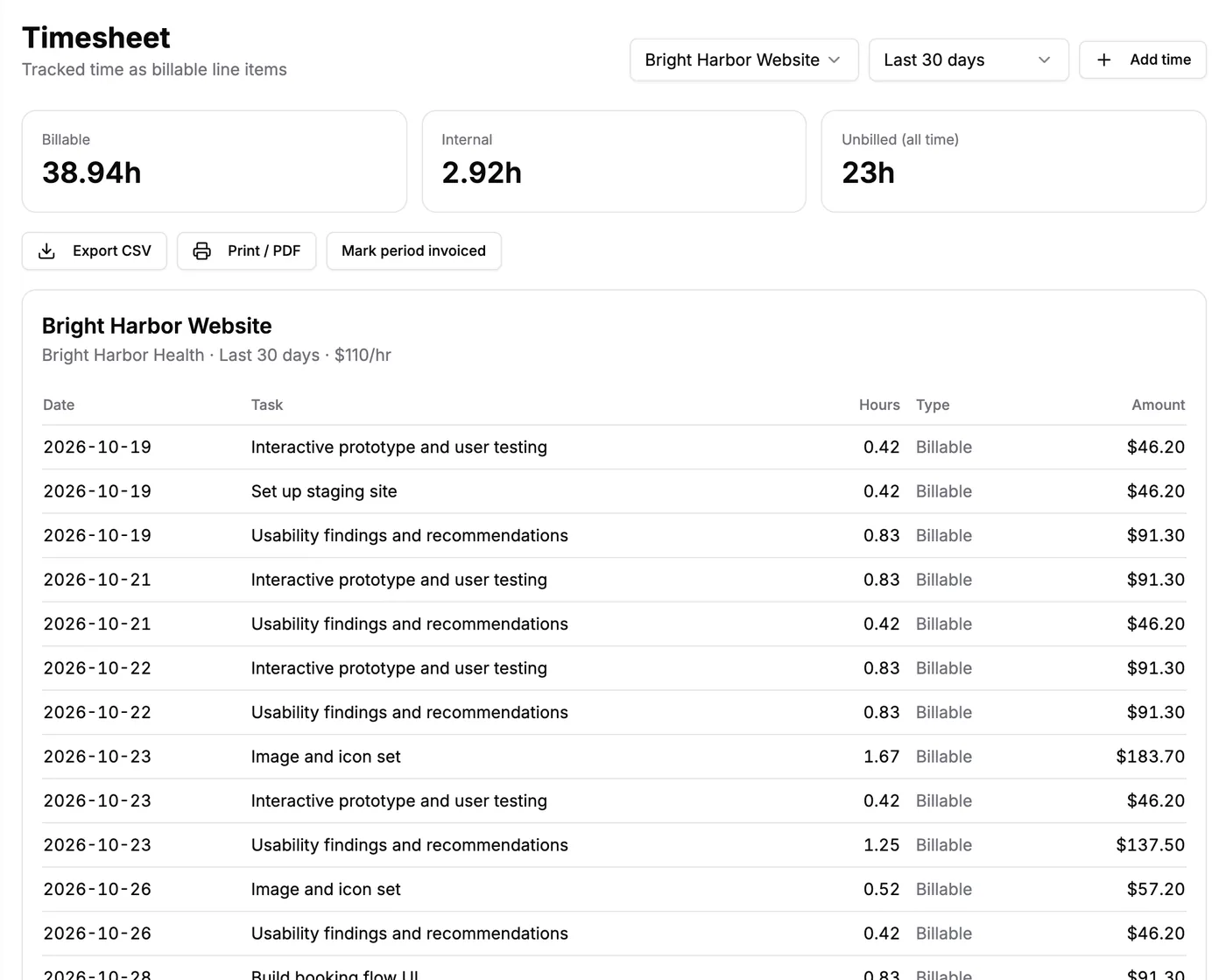
A month of client work, written down by the timer instead of from memory.
If you work on fixed fees, it's also worth checking what each project really paid you per hour. Here's how to check your effective hourly rate.
Getting your rate right
Not sure your rate is high enough? The freelance rate calculator works out the rate you need from the year you want.
And the billable hours calculator shows how much of your week actually turns into invoices.
Templates for other professional services
Lots of professional services bill the same way consultants do. If one of these is closer to your work, start there:
- A bookkeeper invoice template for monthly flat fees.
- A virtual assistant invoice template for retained hours.
- A translator invoice template for work priced by the word.
And if you're still deciding how to make invoices at all, read what an invoice generator is and how it compares to templates and accounting software.
FAQs
How should a consultant write an invoice?
List each piece of work with a clear description, the quantity (hours, days or months), the rate and the amount. Add expenses at cost on separate lines, the client's PO number, Net 30 or your agreed terms, and how to pay.
Should a consulting retainer be billed in advance?
Yes. A retainer reserves your time for the coming month, so it's invoiced at the start of that month. Hours beyond the retainer are billed afterward at your normal rate.
How do I add expenses to a consulting invoice?
Give each expense its own line, say "at cost" in the description and attach the receipts. Keep expenses separate from your fees so the client can see both clearly.
What payment terms do consultants use?
Net 30 is the most common, especially with larger companies. Retainers are usually due before the month they cover starts.
Is this invoice generator free for consultants?
Yes. The invoice generator and the consultant template are free, with no signup and no watermark, and your invoice stays in your own browser.
Send an invoice nobody has to ask about
Describe the work, show the units, separate the expenses and name the person who approves it. Then open the free invoice generator for consultants and send your next one in a few minutes.