
Contractor invoices have more moving parts than most. Labor, materials, equipment, deposits, change orders, and jobs that get billed in stages. The PomoTodo invoice generator handles all of it for free, and you can start from a contractor template that already has the right lines filled in.
This guide walks through how contractors should lay out an invoice, using a kitchen remodel as the example. You'll see the quote with a deposit, the stage invoice that follows it, and the small details that stop clients from questioning your bill.
The short version
- Split labor and materials into separate lines. Clients question them separately, and they're often taxed differently.
- Quote first, with a deposit to cover materials. When the client says yes, turn the quote into an invoice in one click.
- Bill big jobs in stages, and give every change order its own line.
- Put your license number on the invoice, and keep receipts for materials billed at cost.
Why contractor invoices are different
A designer might send one line: "Logo design, $2,400". A contractor almost never can. Your invoice has to show:
- Labor, usually by the hour or by the stage of work.
- Materials, often at cost with receipts, or with a markup.
- Equipment, like a dumpster or a scissor lift.
- Change orders, for anything that changed after the client agreed to the price.
- Your license number, because many clients and inspectors expect it.
When all of that is crammed into one line, clients ask questions, and questions slow down payment. When each part has its own clear line, they just pay.
Start from the general contractor template
You don't have to build this from a blank page. Our general contractor invoice template opens the generator already filled with typical contractor lines: labor by the hour, materials at cost, equipment hire and a change order.
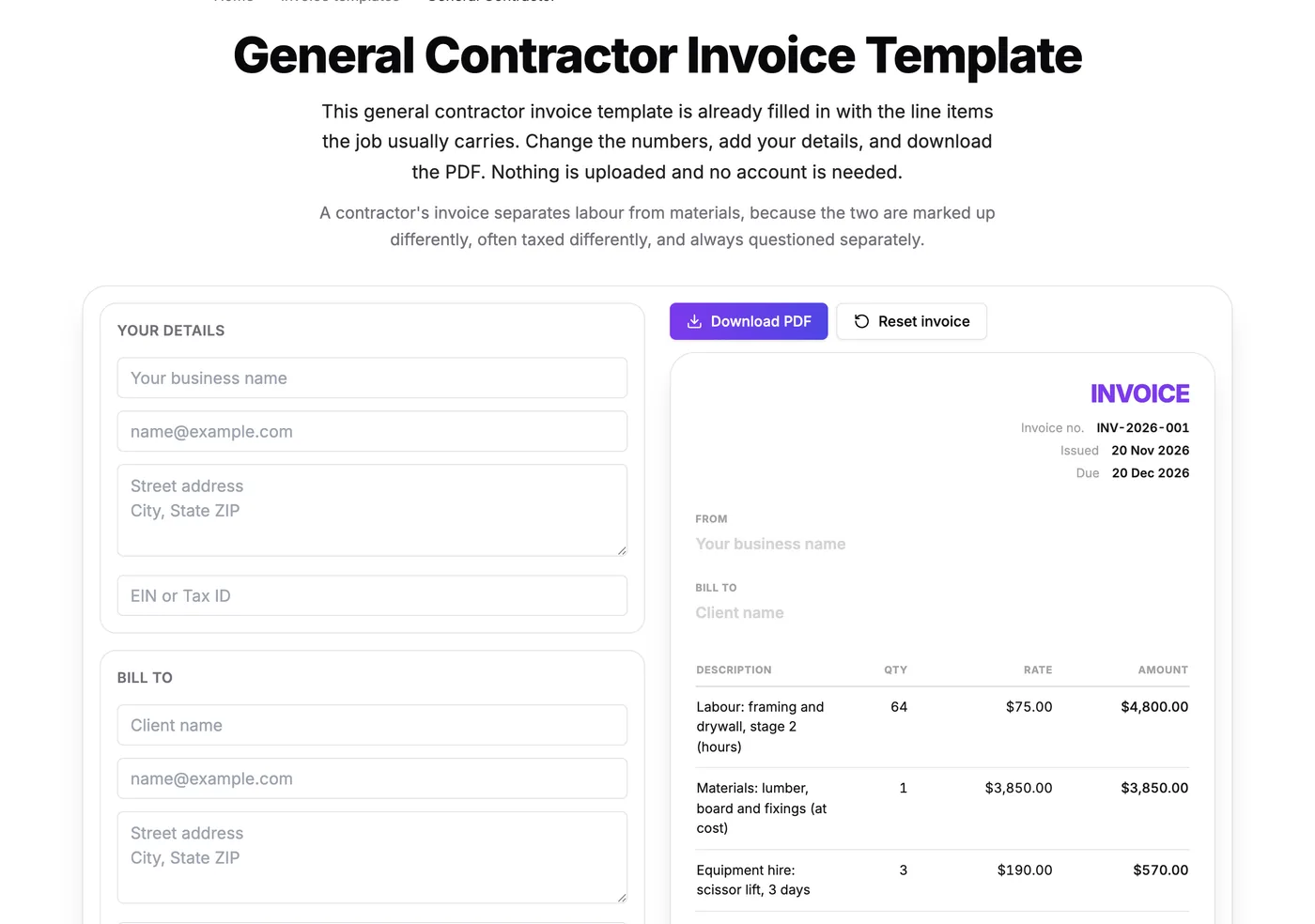
The template fills in example lines. Change the numbers, add your details and download the PDF.
Change the descriptions and numbers to match your job, put your business details at the top, and you're most of the way there.
Quote first, with a deposit
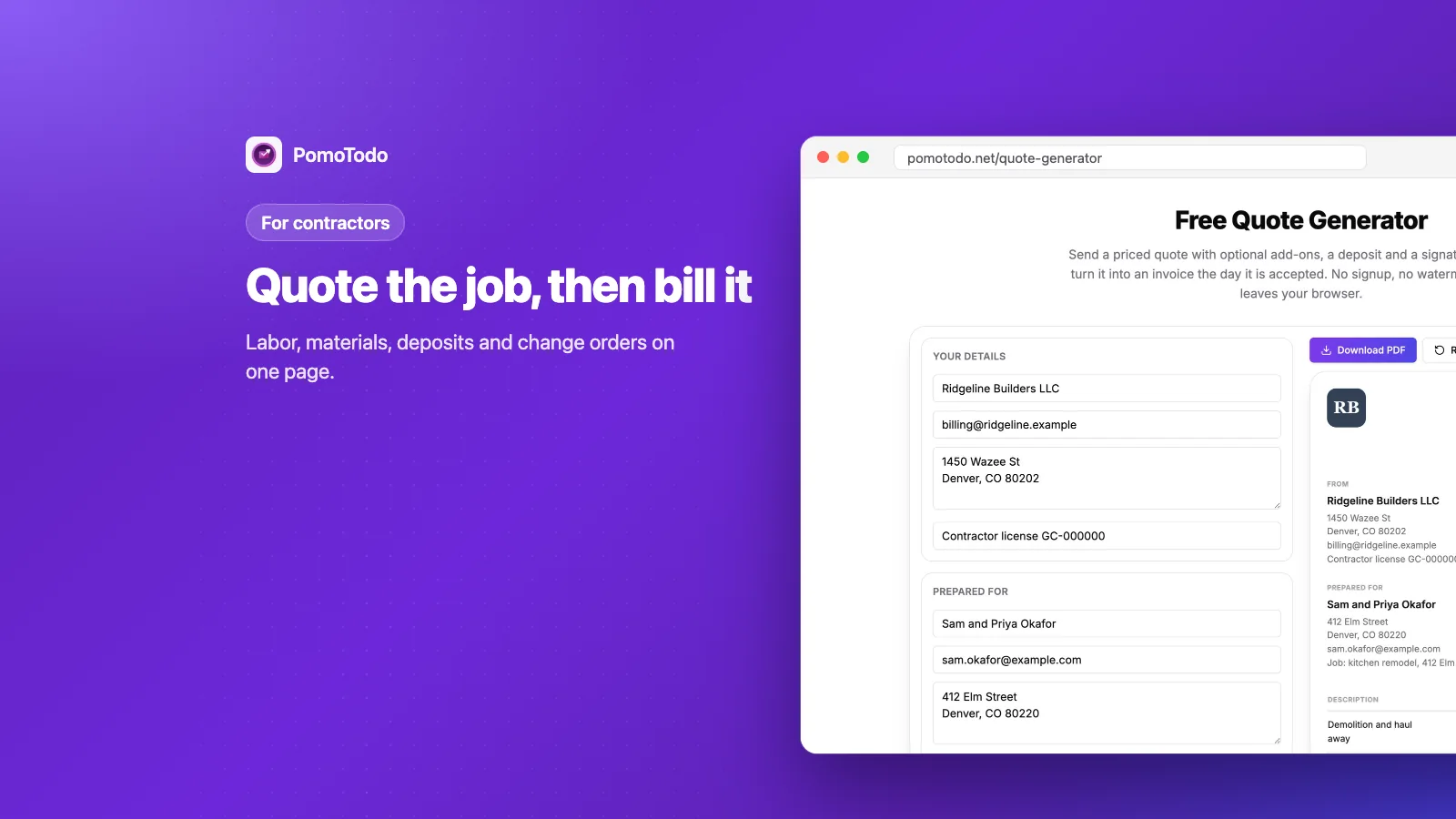
On bigger jobs, the invoice isn't the first document. The quote is. It tells the client what the job will cost and what they need to pay to get started.
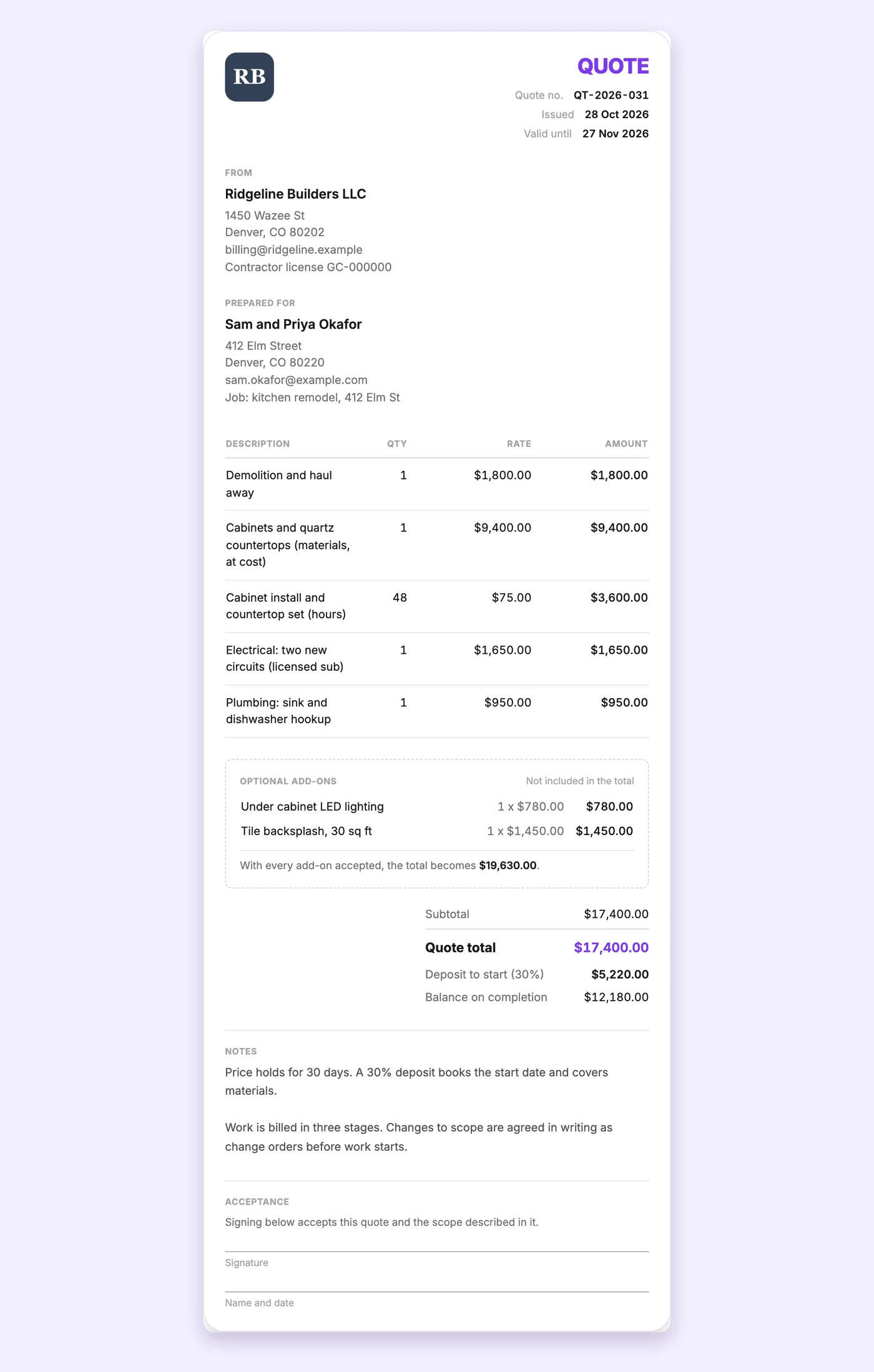
A quote with the main work, two optional extras the client can say yes to, a 30% deposit and a signature line.
The quote generator does a few things contractors love:
- Optional extras. Under cabinet lighting or a tile backsplash can sit on the quote without being added to the total. The client sees what the job would cost with them, and chooses.
- A deposit. Set a percentage, and the quote shows the deposit to start and the balance on completion. Here that's $5,220 up front and $12,180 later.
- A signature line. So "yes" is written down instead of only said on the phone.
- One click to an invoice. When the client accepts, "Turn into an invoice" copies the client, the lines and the rates straight into the invoice generator. Optional extras stay behind, so if the client picked one, untick its optional box on the quote before you convert.
A deposit that covers materials protects you. If a job falls through, you aren't left holding $9,000 of cabinets.
Bill big jobs in stages
A kitchen remodel takes weeks. Waiting until the very end to bill means you're paying your crew and suppliers out of your own pocket the whole time. Billing in stages fixes that.
Here's the stage 2 invoice for the same kitchen, after the cabinets and countertops went in.
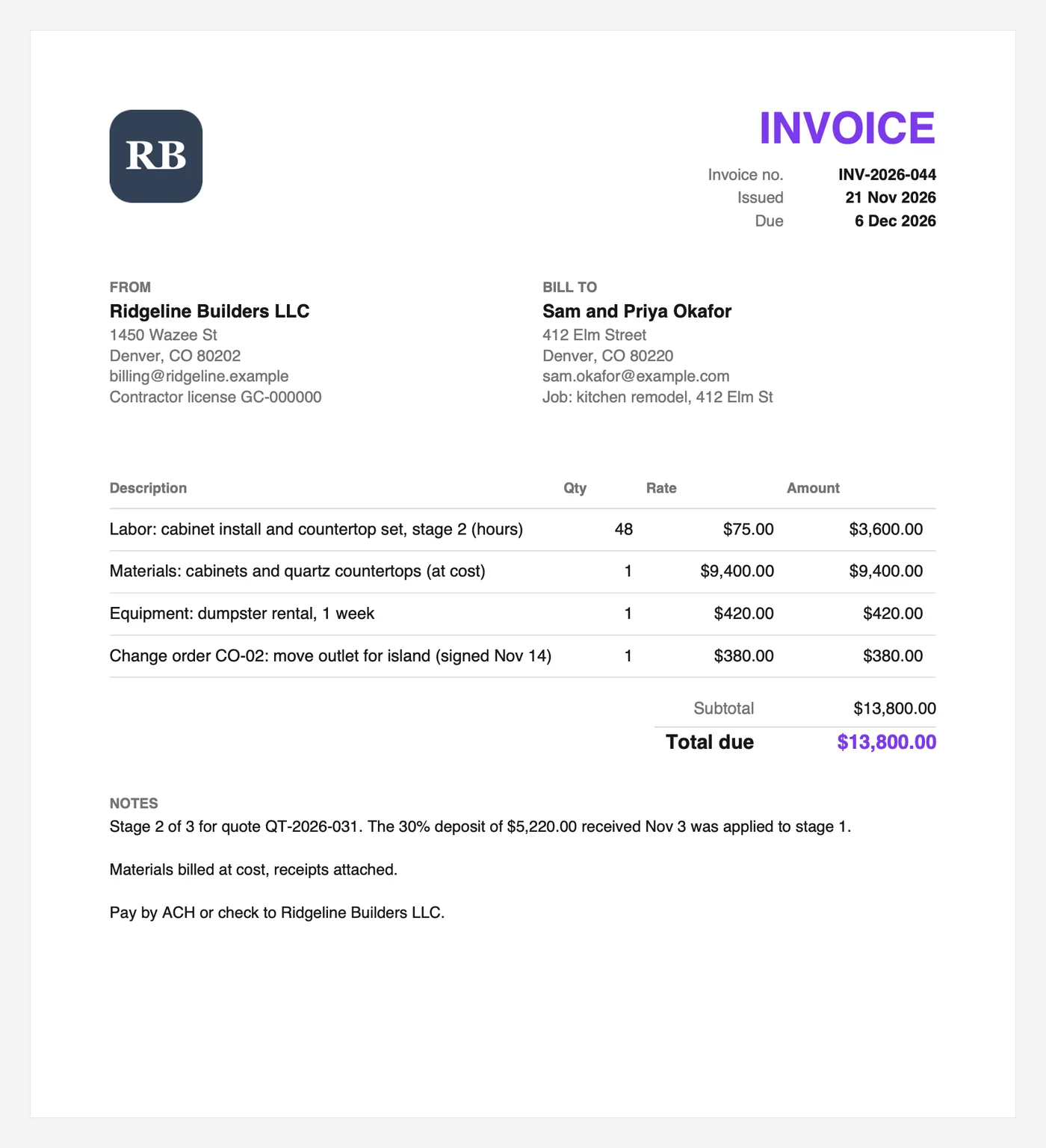
Labor, materials, equipment and a signed change order, each on its own line. The notes explain how the deposit was applied.
A few things to notice:
- Labor shows the hours. 48 hours at $75 is easy for anyone to check.
- Materials say "at cost". And the notes say receipts are attached.
- The change order has its own line. It even says when it was signed.
- The notes connect the dots. They say which stage this is, which quote it belongs to, and how the deposit was applied.
The deposit is explained in the notes rather than taken off as a minus line, because the invoice generator's lines are always positive amounts. The simplest way is to bill the stage as normal and write in the notes how the deposit was used, or bill the final stage as the remaining balance.
Change orders: get them signed first
Clients change their minds. A wall moves, an outlet shifts, a cheaper tile becomes a fancy one. Every one of those is a change order.
The rule that saves the most arguments: agree on the change and the price in writing before you do the work. Then give it its own line on the next invoice with a reference, like "Change order CO-02". It's the most common reason contractor invoices get disputed, and it's the easiest one to prevent.
Labor, materials and sales tax
Here's the part that confuses a lot of contractors. Labor and materials are often treated differently for sales tax.
In many states, contractors pay sales tax when they buy materials and then bill the client for the materials at cost, with no extra tax on the invoice. Other states handle it differently, and some tax certain kinds of labor too. Because it depends on your state and the type of job, check with your state's department of revenue or your accountant. The invoice generator lets you set any tax rate, or leave it at zero.
If you add a markup to materials instead of billing them at cost, our profit margin calculator shows what that markup actually earns you.
Templates for other trades
Every trade has its own habits, so we made templates for the most common ones:
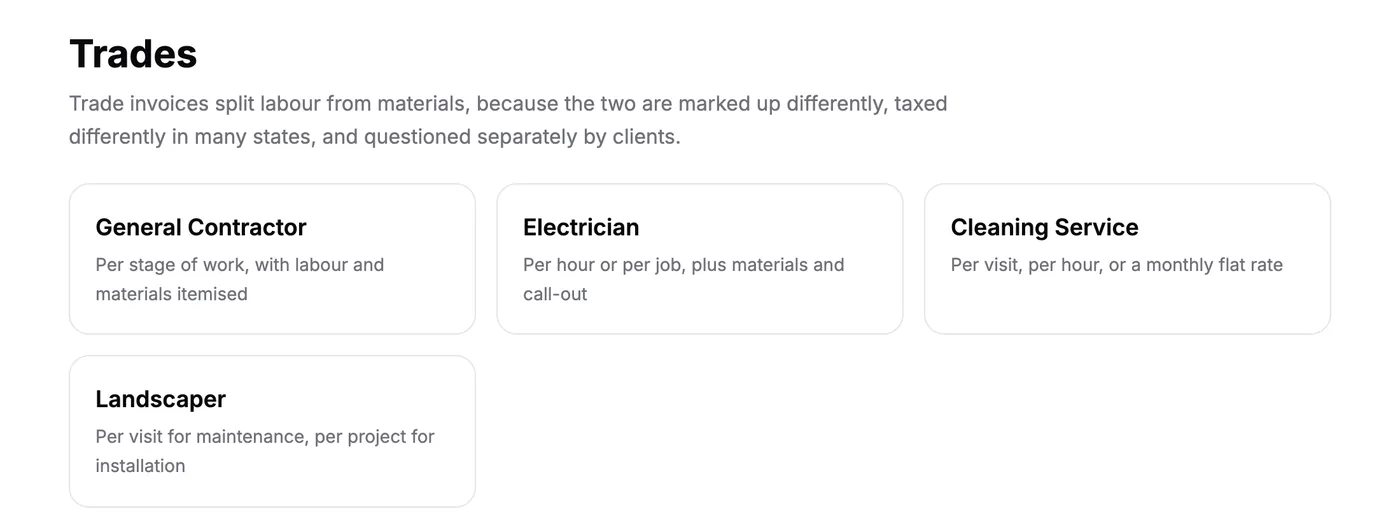
Four trade templates, each filled with the lines that trade usually bills.
- An electrician invoice template with a call out fee, extra hours and parts.
- A landscaper invoice template that keeps maintenance visits apart from planting jobs.
- A cleaning service invoice template that lists each visit.
Payment terms that work for contractors
Contractors usually get paid faster than other businesses, and for good reason. You've already spent money on materials and labor.
- Due on receipt is common for homeowners and small jobs.
- Net 15 is common for trade accounts and commercial clients.
- Stage payments (deposit, then each stage, then the balance) are standard on bigger jobs.
Whatever you choose, put it on the quote first, so the client agrees to it before any work starts.
Handy tools for contractors
- Tracking a crew's hours? The time card calculator totals clock in and clock out times with breaks.
- Driving between jobs? The mileage reimbursement calculator applies the IRS mileage rates by trip date.
- New to invoice generators in general? Here's what an invoice generator is and how to pick one.
FAQs
What should a contractor invoice include?
Your business details and license number, the client and job address, an invoice number and dates, separate lines for labor, materials and equipment, any change orders, the total, payment terms and how to pay.
Should I list labor and materials separately?
Yes. Clients question them separately, and in many states they're taxed differently. Separate lines also make it easy to show receipts for materials billed at cost.
How do I bill a deposit?
Put the deposit on the quote. The PomoTodo quote generator lets you set a deposit percentage and shows the deposit and the balance. When the job is done, turn the quote into an invoice and explain in the notes how the deposit was applied.
How do I bill a change order?
Get the change and its price agreed in writing first. Then add it as its own line on the next invoice with a reference number and the date it was signed.
Is the contractor invoice generator free?
Yes. The invoice generator, the quote generator and the contractor templates are all free, with no signup and no watermark.
Quote it, build it, get paid
Start your next job with a quote and a deposit, bill it in clear stages, and finish with a final invoice your client can't argue with. Open the free contractor invoice generator and set up your details once.