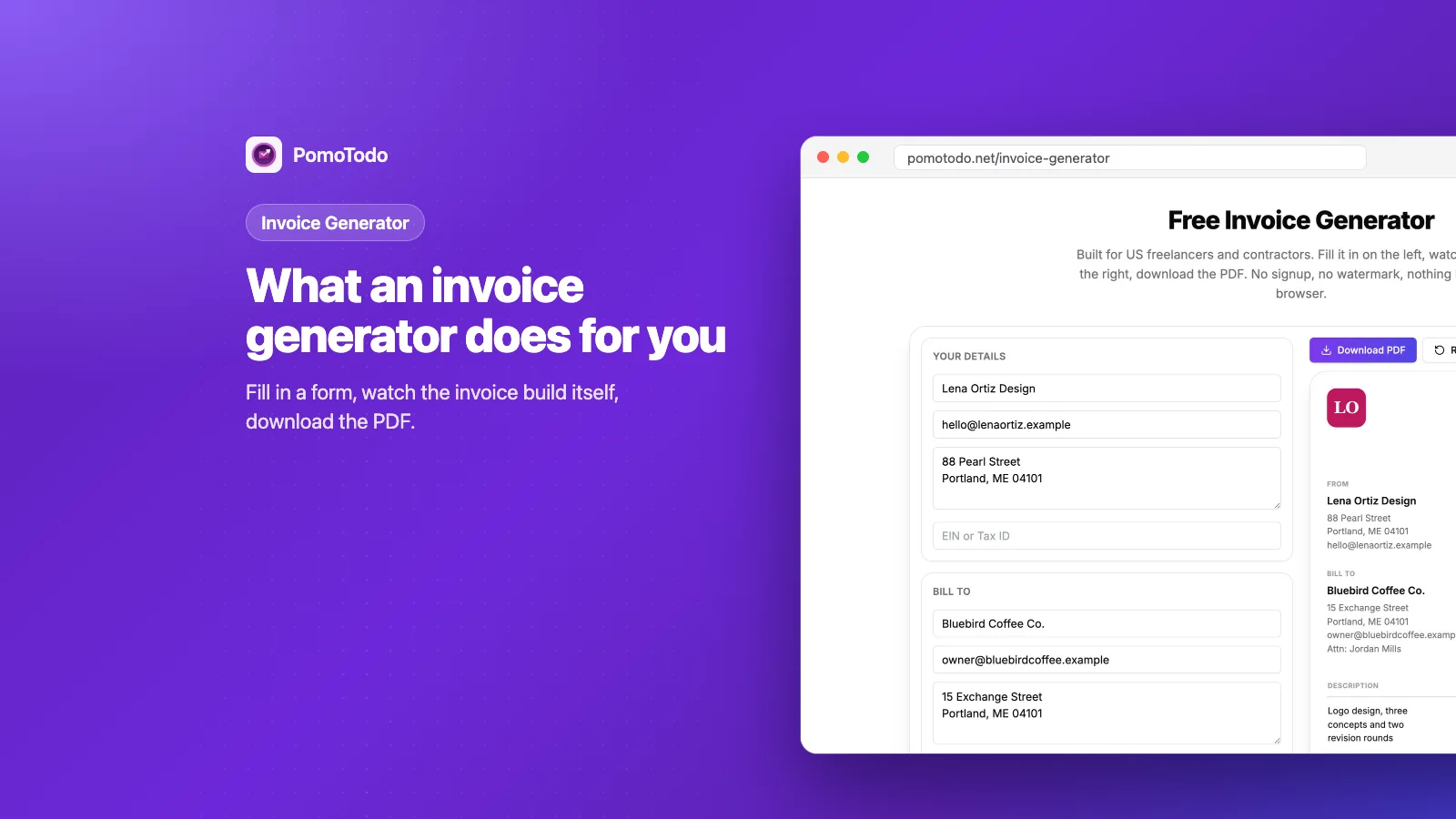
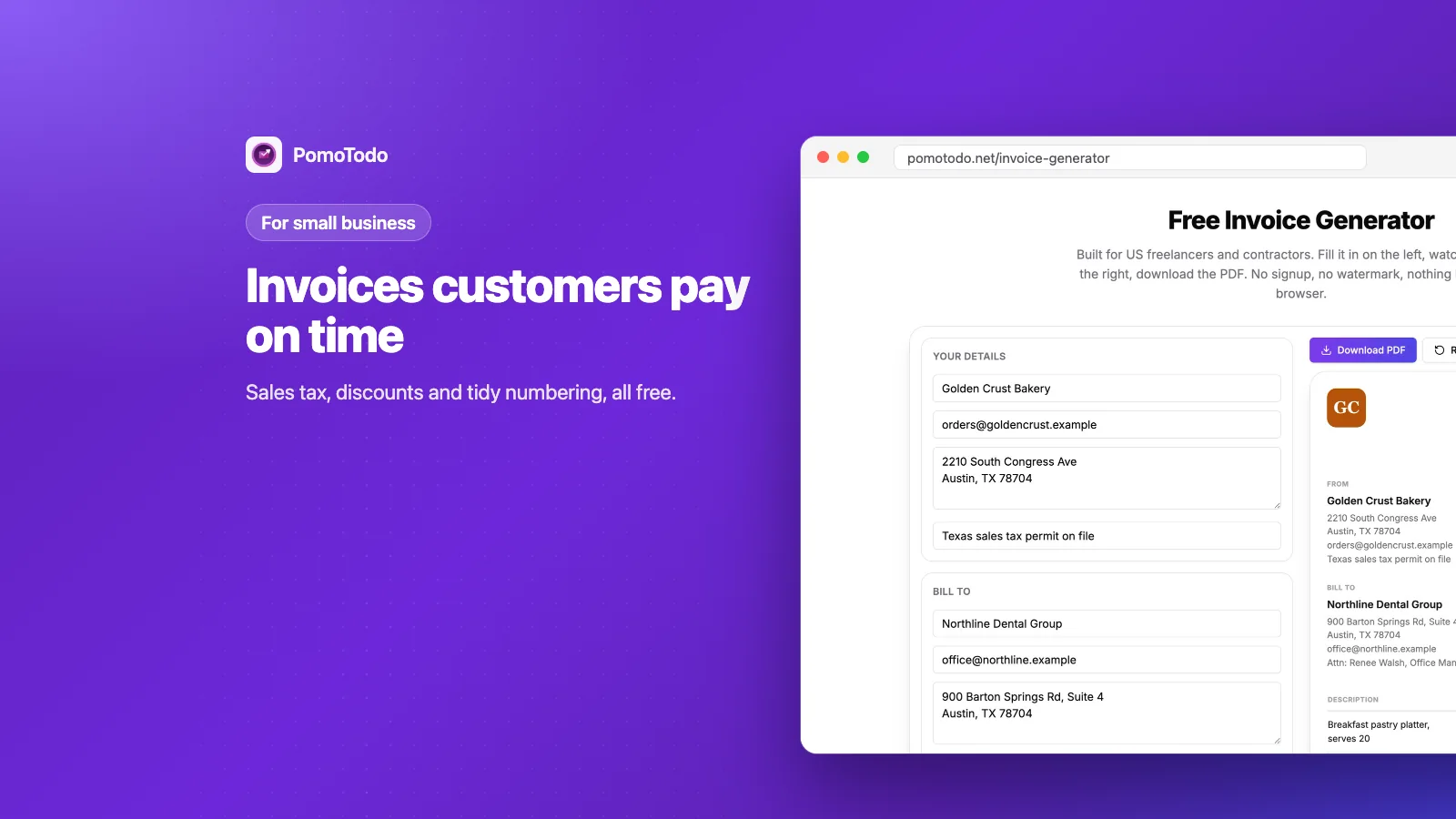

If you run a small business, you need invoices that look professional, add up correctly and get paid on time, without paying for software you barely use. The PomoTodo invoice generator does that for free. Add your logo, your products or services, sales tax and payment terms, then download a clean PDF.
This guide shows what a small business invoice needs, using a real example from a neighborhood bakery. By the end you'll know exactly what to put on yours, and a few habits that get customers to pay faster.
The short version
- A small business invoice needs your details, your customer's details, a unique number, dates, line items, tax, the total and how to pay.
- Products and services both work. Each line is just a description, a quantity and a price.
- Set sales tax and discounts once, and the generator does the math.
- It's free, with no signup and no watermark. Your invoice stays in your browser.
Why a free invoice generator suits a small business
Most small businesses don't send hundreds of invoices. Maybe a few a week, maybe a few a month. Paying for big accounting software just to send those can feel like buying a truck to carry groceries.
A free invoice generator covers the part you actually need: a clean, correct invoice in a few minutes. No monthly fee, no training, no account to set up before you can start.
If you'd like a box by box walkthrough of filling one in, our guide on how to make an invoice covers every field. Below, we focus on what's different for a small business.
A real example: a bakery's catering order
Meet Golden Crust Bakery, a made up bakery in Austin, Texas. A dental office ordered breakfast and lunch for a staff training day, and now the bakery needs to bill them.
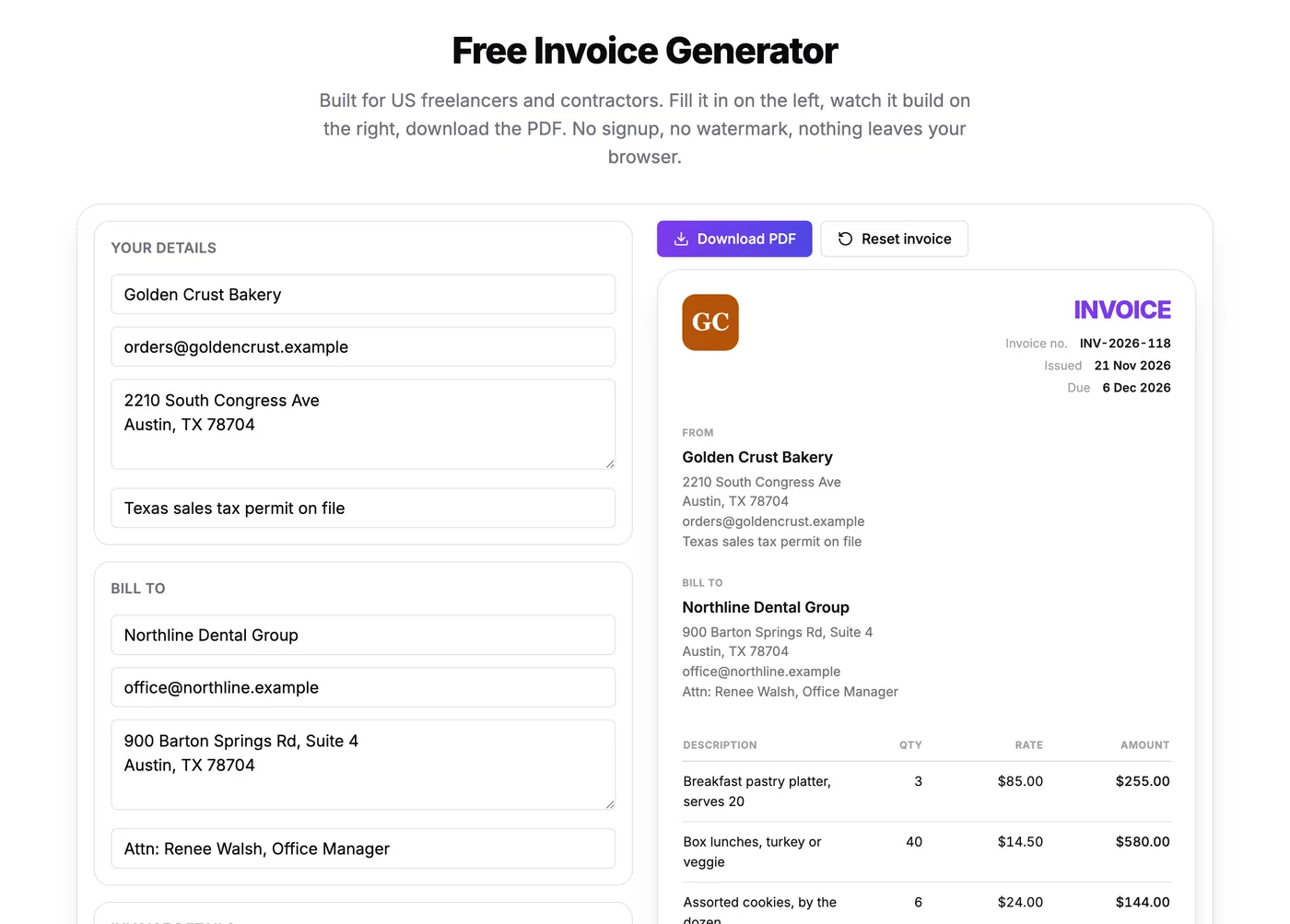
The bakery's details on the left, the finished invoice building itself on the right.
Here's what went on it, line by line:
- 3 breakfast pastry platters at $85 each
- 40 box lunches at $14.50 each
- 6 dozen cookies at $24 a dozen
- 4 coffee services at $32 each
- Delivery and setup, $45
Each line is a description, a quantity and a price. The generator multiplies them and adds everything up, so the subtotal comes to $1,152.00 without anyone reaching for a calculator.
Notice the "Attn" line in the customer box. The bakery wrote "Attn: Renee Walsh, Office Manager", because an invoice addressed to a person gets paid faster than one addressed to a whole company.
Sales tax and discounts
This is where a lot of homemade invoices go wrong. The tax gets added before the discount, or the rate is from last year, or it's missing completely.
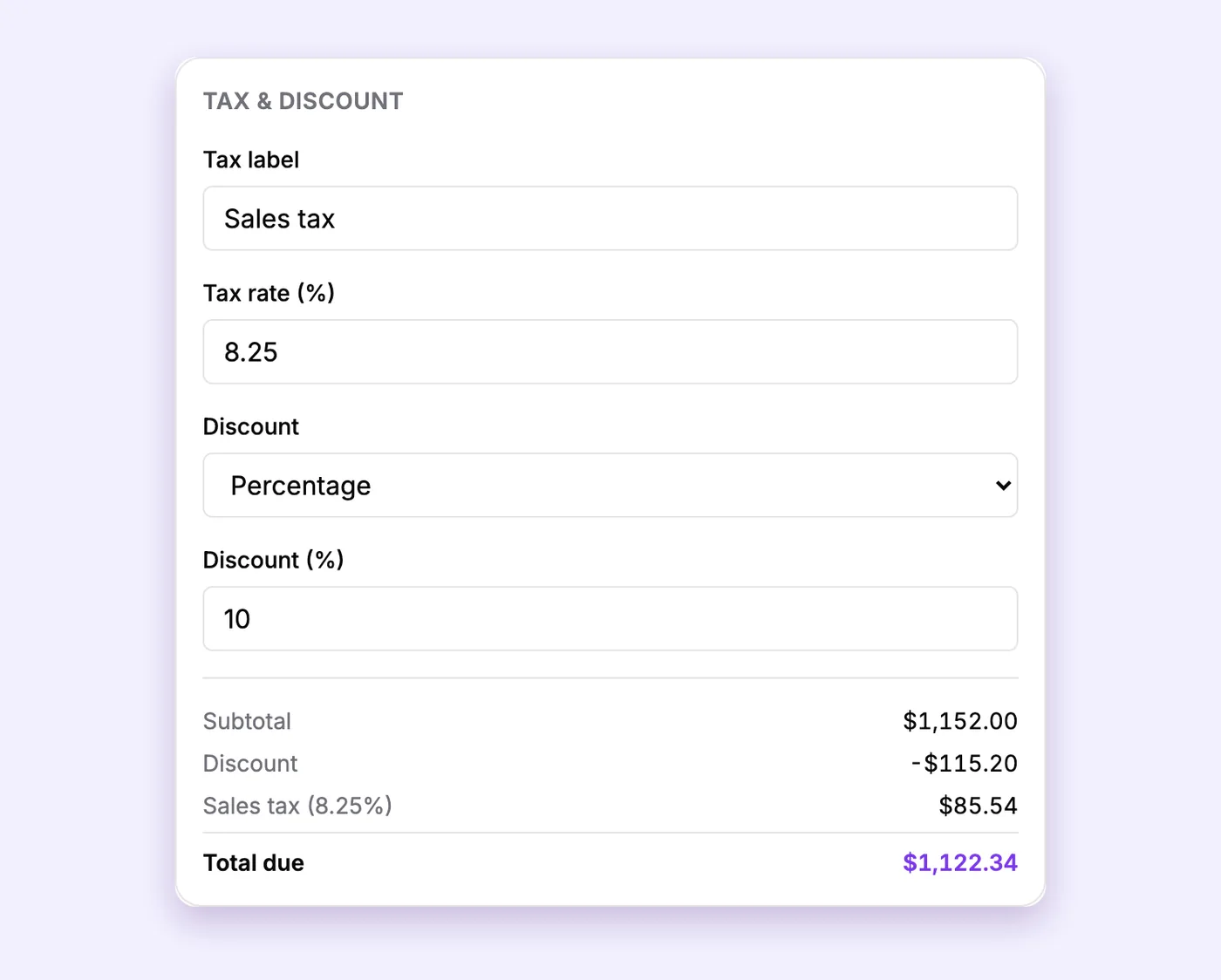
Name the tax, set the rate, pick a discount. The total updates as you type.
In the bakery example:
- The bakery gave a 10% discount because the dental office is a repeat customer. That took $115.20 off.
- Sales tax of 8.25% was then charged on the discounted amount, which came to $85.54.
- The total due is $1,122.34.
The generator always applies tax after the discount, which is how it normally works on a sale. You can also name the tax whatever your state calls it.
A quick word on tax rules. Whether you charge sales tax, and how much, depends on your state, your city and what you sell. In many states, goods are taxed and most services aren't, but there are lots of exceptions. If you aren't sure, check your state's department of revenue or ask your accountant. And if you're self employed, our self employment tax calculator shows how much of each payment to set aside for taxes.
Invoice numbers and payment terms
Two small boxes that make a big difference.
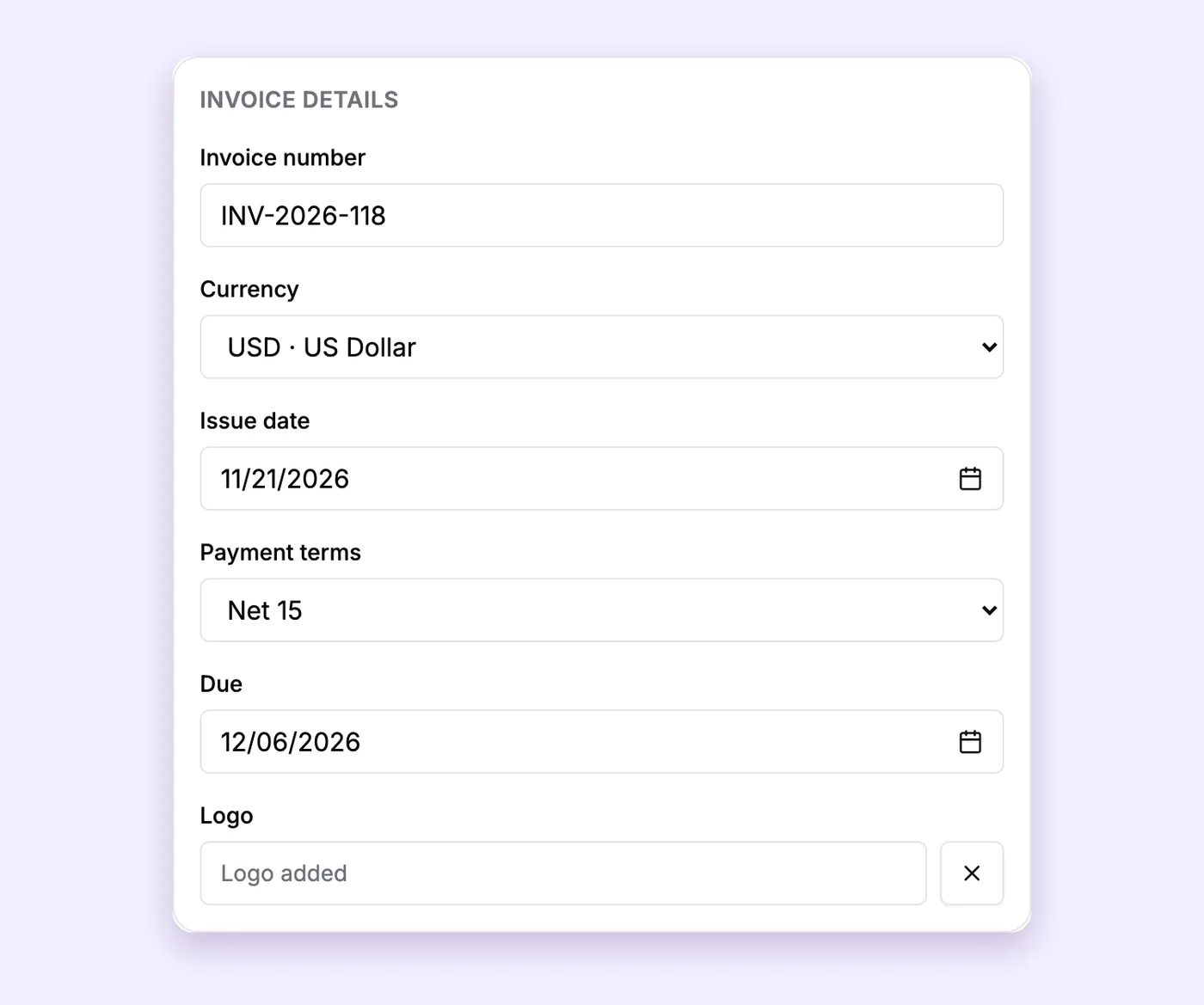
A unique number, the date, the payment terms and the due date that follows from them.
Invoice numbers. Give every invoice its own number and count up without gaps, like INV-2026-118, then 119, then 120. It keeps your books easy to follow and makes it simple to find an invoice when a customer calls.
Payment terms. These tell the customer how long they have to pay. Pick one and the due date fills in by itself:
- Due on receipt for one time customers and small orders.
- Net 15 for regular customers. The bakery uses this.
- Net 30 for larger businesses, which often pay on a monthly cycle.
If your business takes bigger orders from people you don't know yet, ask for a deposit up front. Our quote generator adds a deposit to a quote, and turns the quote into an invoice once the job is done.
The finished invoice
Press "Download PDF" and this is what the customer gets.
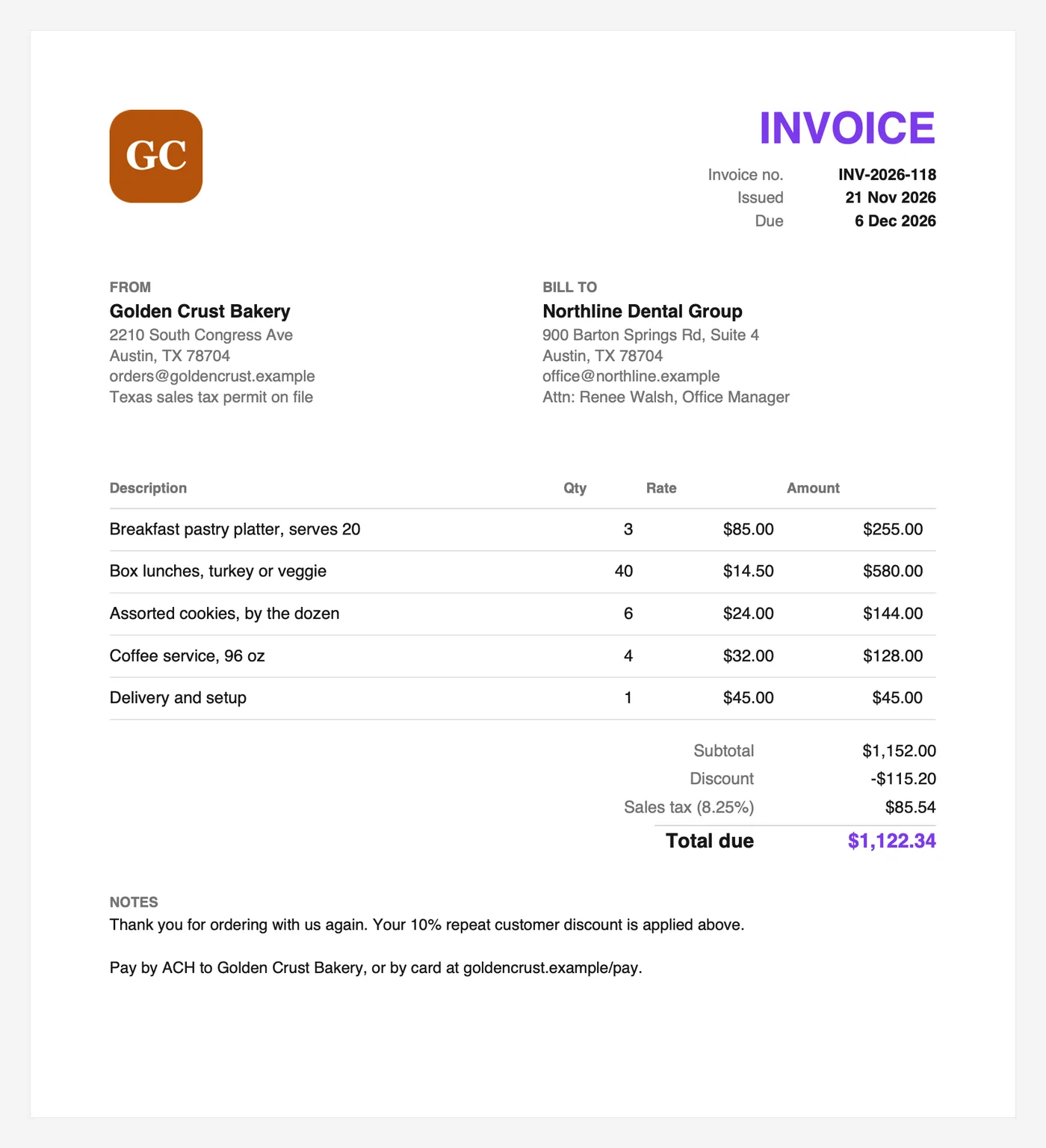
One page, nothing missing. The notes at the bottom say thank you and how to pay.
Look at the notes. "Thank you for ordering with us again" is a tiny thing, but people remember businesses that say it. Then comes how to pay, in plain words.
Habits that get small business invoices paid faster
None of these cost anything.
- Send the invoice the same day. Fresh work gets paid faster than last month's work.
- Make paying easy. Put every way you accept money in the notes: ACH, card link, check.
- Write clear line items. "Box lunches, turkey or veggie" is better than "Food".
- Name a person. Use the "Attn" line so the invoice lands on the right desk.
- Follow up kindly. A short, friendly email on the due date fixes most late payments.
Templates for service businesses
Not every small business sells products. If you run a service business, start from a template that already has the right lines for your trade:
- A cleaning service invoice template for regular visits and deep cleans.
- A landscaper invoice template for maintenance visits and planting jobs.
- A bookkeeper invoice template for monthly flat fees.
There are 16 in total, sorted by type of work, on the invoice templates page.
Keeping records
The invoice generator saves your draft in your own browser, not on a server. That keeps your customers' details private, but it also means the PDF is your record.
A simple system works fine for most small businesses. Download every invoice, save it in a folder for the month, and keep a list of invoice numbers with the amount and the date paid. When you grow past that, it might be time for accounting software. Until then, this is plenty.
If you're curious about the bigger picture, our guide on what an invoice generator is compares generators, templates and accounting software side by side.
FAQs
Do small businesses need invoice numbers?
Yes. Every invoice should have its own number, counting up without gaps. It makes your records easy to follow and helps you match payments to invoices.
Should a small business charge sales tax on invoices?
It depends on your state and what you sell. Many states tax goods but not most services, with plenty of exceptions. Check with your state's department of revenue or your accountant, then set the rate in the tax box.
What payment terms should a small business use?
Due on receipt works well for one time customers. Net 15 suits regular customers, and Net 30 is common when you bill larger companies. Pick one and use it consistently.
Can I add a discount to an invoice?
Yes. Choose a percentage or a fixed amount in the discount box. The generator takes the discount off the subtotal before it adds any tax.
Is this invoice generator really free for businesses?
Yes. There's no signup, no watermark and no limit on how many invoices you make. You can use it for your business as often as you like.
Make your next invoice in a few minutes
Grab the details of your next customer order and open the free invoice generator for small business. Add your logo once and it stays in that browser for next time.